Construction Industry Service Website Design



Yellow Accent and Condensed Type Shape the Section’s Visual Language
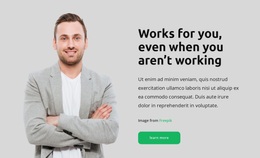
The block’s visual character comes from the relationship between an industrial portrait, a light gray background, and a warm yellow action accent. The worker image supplies subject-specific context, while the right side uses bold condensed typography for the statement about general contracting service since 1974. Smaller italic supporting copy creates a contrasting text layer, allowing the company introduction to feel structured without adding a large number of decorative elements.
These choices can contribute to a wider construction-oriented website language when related sections repeat selected roles rather than copying the entire block. The yellow can act as an action accent, the gray can provide a quiet content field, and the condensed heading can distinguish major statements. The portrait’s human focus also gives the business presentation a practical, work-centered tone. The San Diego reference and design-build focus keep that visual language connected to the section’s actual subject.
The split composition matters to the identity as well. The image and text occupy balanced halves, with the text vertically centered so the visual weight does not collect at one edge. In a broader website project, similar contrast, spacing, typography, or image treatment could connect related service and project sections. One block can express these design cues, but the wider site would determine how consistently they are applied across other content.
Customize with Nicepage
Open this ready-made template in the Website Design Builder and customize it visually in the Nicepage editor. Replace demo content, edit page sections, and adapt the design to your project without rebuilding the template from scratch.
Edit Template Offline
2. Create a new page or select existing
3. Click Add new block, search for id 42252 and click enter
Edit Template Online
Create Awesome Websites


Free Nicepage Builder
Keywords
Create a Consistent Design Across the Website
Define a Site-Wide Visual Style
Use Theme Settings to establish the visual foundation of the website across its pages and sections. Set global Colors, Fonts, and Typography so the site follows the same design direction instead of styling each page independently.
Coordinate Colors and Typography
Choose a color scheme and font combination that fit the character of the website, then fine-tune Headings H1-H6, regular Text, links, buttons, quotes, lists, and other typography styles. Consistent use of these settings helps create a clear visual hierarchy and keeps recurring design elements recognizable throughout the website.
Add Motion and Interaction
Use Animation Effects to make the website design more dynamic and interactive. Elements and Containers can use effects such as Run On Display, Animation On Hover, and Animation Sync With Scroll to introduce content as visitors move through the site or respond to user interaction. Animation Presets provide ready-made effects that can be adapted to the visual style of the website.
Keep the Website Visually Consistent
Apply the same design direction to shared website elements such as the Header, Menu, and Footer. The Theme Settings Panel brings common site-wide styling controls together, making it easier to maintain a coordinated look as the website expands across multiple pages.
This workflow makes the template a useful starting point for creating a website with a consistent visual identity, coordinated colors and typography, shared design rules, and interactive effects across its pages.