About Us Our Company Website Design


Bold Typography and Open Space Give the Section a Distinct Voice
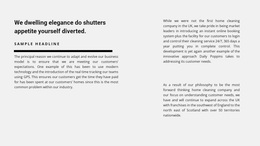
The single centered passage gives this section a restrained visual voice. Bold black text sits on a white background, and generous space around the text prevents the compact content from feeling crowded. With no imagery, cards, decorative objects, or interactive controls, typography carries nearly all of the block’s visual identity. The centered alignment reinforces that concentration, creating a deliberate pause between sections with denser layouts or stronger visual imagery.
Within a broader website design, the block can contribute one recognizable pattern to a shared visual language without defining the entire site. Its high-contrast type may echo heading or statement treatments elsewhere, while the open white field can provide a visual reset after a more elaborate section. The absence of imagery is also meaningful: this block supplies textual emphasis rather than another visual subject, making it suitable for concise supporting content between image-led areas.
Nicepage Theme Settings can coordinate broader Colors, Fonts, and Typography, but this section remains one expression of that system rather than proof of a complete site identity. Its contribution is specific and observable: centered alignment, bold black lettering, a white background, and generous whitespace combine to create a calm, focused text moment that can sit alongside more varied blocks.
Customize with Nicepage
Open this ready-made template in the Website Design Builder and customize it visually in the Nicepage editor. Replace demo content, edit page sections, and adapt the design to your project without rebuilding the template from scratch.
Edit Template Offline
2. Create a new page or select existing
3. Click Add new block, search for id 42226 and click enter
Edit Template Online
Create Awesome Websites


Free Nicepage Builder
Keywords
Connect This Block to a Consistent Website Design
Apply a Shared Visual Language
Use Theme Settings to coordinate Colors, Fonts, and Typography across the broader website. A block can express the same visual language through its backgrounds, text hierarchy, image treatment, buttons, cards, icons, and spacing without claiming that one section defines the entire site's identity.
Keep Repeated Treatments Consistent
When the block contains repeated items or distinctive accents, align those choices with the broader project. Shared typography, color roles, button styles, and image treatments can help a service, testimonial, pricing, or gallery block feel connected to other pages and sections.
Add Motion Only When It Supports the Section
Use Animation Effects when movement genuinely helps present the block's content. Effects can be applied to elements or Containers, but animation should remain secondary to the section's verified content and visual hierarchy.
This workflow lets one block contribute to a consistent website design while site-wide identity continues to be defined by the broader set of pages, sections, and shared style rules.