Modern Digital Bank CSS Template


Edit Template Offline
2. Create new page and search for id 6657274
Edit Template Online
Create Awesome Websites


Free Nicepage Builder
Keywords
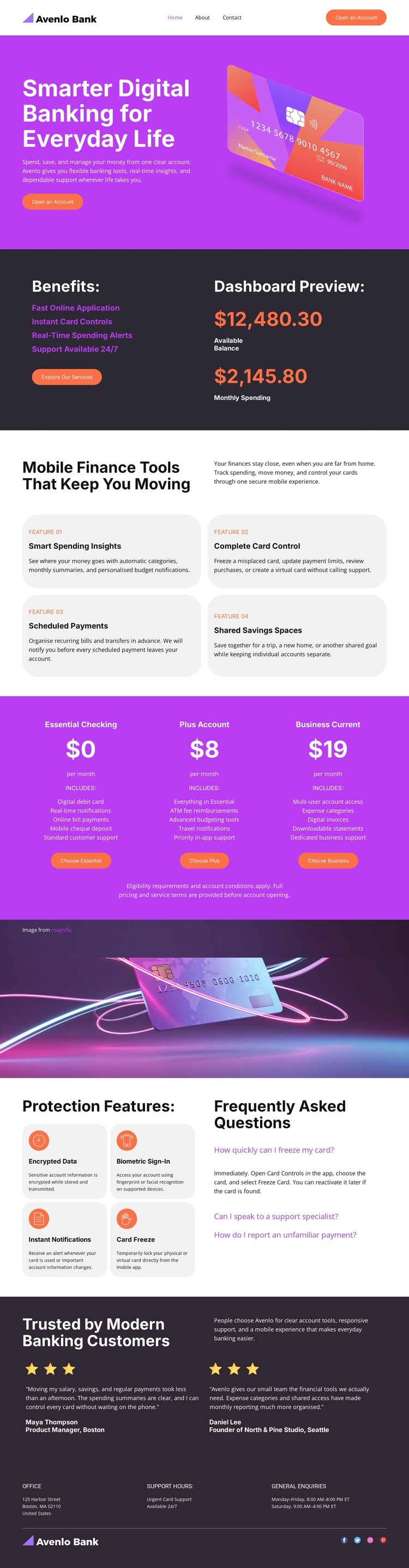
Purple Gradients and White Cards Shape the Banking Style
The visual system is built around vivid purple gradients, dark charcoal panels, and white rounded cards. Purple carries the strongest promotional moments, including the hero and account-plan comparison, while charcoal sections create a quieter backdrop for testimonials, protection content, and footer information. This contrast lets the banking-card imagery remain prominent without requiring every section to use the same visual weight.
Rounded panels repeat across the benefits, finance-tool, pricing, and security areas. That repetition connects very different content types: dashboard figures feel related to the four finance tools, while the four protection cards retain the same card-based language. Compact spacing and bold sans-serif typography keep labels, plan names, feature descriptions, and calls to action legible within a dense financial presentation.
The full-width card banner adds a visual pause between the pricing comparison and the protection content. It also reinforces the payment-card motif without introducing another informational section. As a CSS-oriented design, the template offers a clear set of style relationships to preserve or adjust: gradient emphasis, panel contrast, card radius, typography scale, image placement, and spacing. Those rules can change independently while the banking page’s section sequence remains intact.
Customize with Nicepage
Open this ready-made template in the CSS Template Builder and customize it visually in the Nicepage editor. Replace demo content, edit page sections, and adapt the design to your project without rebuilding the template from scratch.
Customize This Template With CSS
Control Page-Specific Styling
Customize the visual appearance of this ready-made template directly in the Nicepage editor. Adjust typography, spacing, backgrounds, borders, colors, positioning, and other style properties using visual controls while keeping the page layout easy to manage without writing CSS manually.
Add Custom CSS When Needed
For styling requirements that go beyond the standard editor options, use Custom CSS to add targeted rules. CSS can be applied to individual elements, specific pages, or the entire website depending on the scope of the customization, while CSS classes can be used to connect custom rules with selected elements.
Export Minimal CSS Per Page
For projects where CSS size and page performance matter, Nicepage can export minimal CSS for each page. Instead of relying on one larger common stylesheet, each page can use a separate CSS file containing only the style rules required for that particular page. According to Nicepage documentation, these page-specific CSS files can be about ten times more compact, helping reduce unnecessary CSS and improve page loading performance.
This workflow combines visual styling with optional custom CSS and optimized page-specific CSS output, giving you additional control when a project requires it without making manual CSS editing the primary way to customize the template.