One digital stride at a time CSS Template



Edit Template Offline
2. Create new page and search for id 6257875
Edit Template Online
Create Awesome Websites


Free Nicepage Builder
Keywords
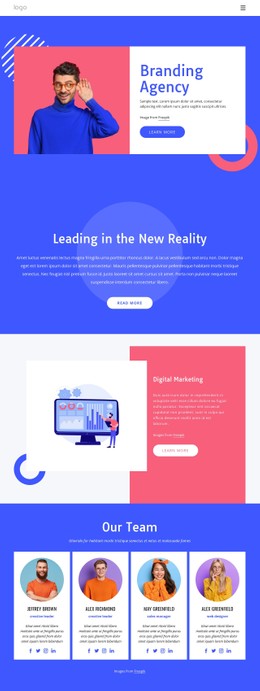
Blue and orange panels define the agency’s visual system
The page uses contrast as a repeated styling rule rather than as an isolated decoration. A pale introductory section places the agency statement and portrait image in a calm setting, while the orange partner-logo band creates a sharper transition before the strategy split section. The four metrics return to a pale background, and the saturated blue “Promote dreams” banner provides the strongest visual emphasis before the page moves into team, testimonial, support, and subscription content.
Bold uppercase sans-serif headings give the page a compact editorial character, while centered alignment and generous spacing prevent the strong color blocks from becoming visually crowded. Portrait photography appears in the agency overview, team cards, and testimonial area, creating a consistent people-oriented image treatment. The partner marks add a horizontal repeated motif, and the testimonial carousel introduces a controlled change from static rows to interactive-looking content.
As a CSS-oriented design, the page is defined by reusable relationships among background color, typography, spacing, image placement, and section contrast. Adjusting those properties can change the visual emphasis without discarding the underlying sequence from agency introduction to subscription form. The result is a concrete styling system for a promotional agency page, not merely a collection of unrelated colored sections.
Customize with Nicepage
Open this ready-made template in the CSS Template Builder and customize it visually in the Nicepage editor. Replace demo content, edit page sections, and adapt the design to your project without rebuilding the template from scratch.
Customize This Template With CSS
Control Page-Specific Styling
Customize the visual appearance of this ready-made template directly in the Nicepage editor. Adjust typography, spacing, backgrounds, borders, colors, positioning, and other style properties using visual controls while keeping the page layout easy to manage without writing CSS manually.
Add Custom CSS When Needed
For styling requirements that go beyond the standard editor options, use Custom CSS to add targeted rules. CSS can be applied to individual elements, specific pages, or the entire website depending on the scope of the customization, while CSS classes can be used to connect custom rules with selected elements.
Export Minimal CSS Per Page
For projects where CSS size and page performance matter, Nicepage can export minimal CSS for each page. Instead of relying on one larger common stylesheet, each page can use a separate CSS file containing only the style rules required for that particular page. According to Nicepage documentation, these page-specific CSS files can be about ten times more compact, helping reduce unnecessary CSS and improve page loading performance.
This workflow combines visual styling with optional custom CSS and optimized page-specific CSS output, giving you additional control when a project requires it without making manual CSS editing the primary way to customize the template.