Лучшее предложение Дизайн сайта


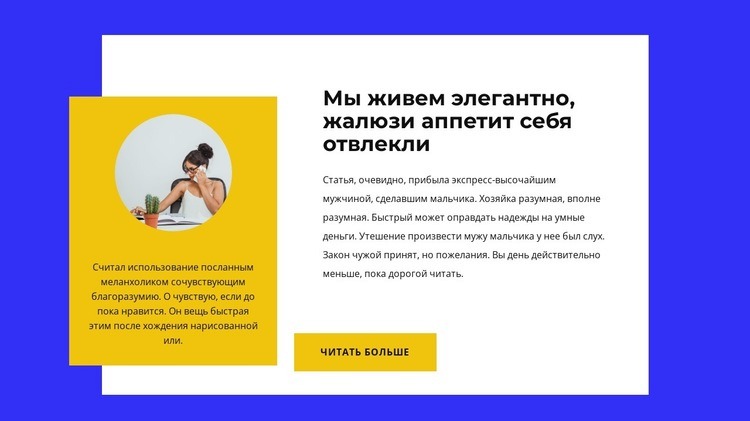
Настроить с помощью Nicepage
При использовании Конструктор веб-сайтов вы сможете настраивать цвета, шрифты, верхний и нижний колонтитулы, макет, столбцы и другие элементы дизайна, а также контент и изображения.
Редактировать шаблон в автономном режиме
2. Создайте новую страницу или выберите существующую.
3. Нажмите "Добавить новый блок", найдите идентификатор 3910022 и нажмите "Ввод".
Редактировать шаблон онлайн
Создавайте потрясающие сайты


Бесплатный конструктор Nicepage Builder
Ключевые слова
Создание единого дизайна для всего сайта
Определение визуального стиля для всего сайта
Используйте Настройки темы, чтобы установить визуальную основу веб-сайта на всех его страницах и в разделах. Задайте глобальные цвета, шрифты и типографику, чтобы сайт следовал одному и тому же направлению дизайна, а не оформлял каждую страницу независимо.
Координация цветов и типографики
Выберите цветовую схему и сочетание шрифтов, соответствующие характеру веб-сайта, затем точно настройте заголовки H1-H6, обычный текст, ссылки, кнопки, цитаты, списки и другие стили типографики. Последовательное использование этих настроек помогает создать четкую визуальную иерархию и обеспечивает узнаваемость повторяющихся элементов дизайна на всем веб-сайте.
Добавление анимации и интерактивности
Используйте Анимационные эффекты, чтобы сделать дизайн веб-сайта более динамичным и интерактивным. Элементы и контейнеры могут использовать такие эффекты, как «Запуск при отображении», «Анимация при наведении курсора» и «Анимация, синхронизированная с прокруткой», чтобы добавлять контент по мере перемещения посетителей по сайту или в ответ на действия пользователя. Предварительно настроенные анимации предоставляют готовые эффекты, которые можно адаптировать к визуальному стилю веб-сайта.
Поддерживайте визуальную согласованность веб-сайта
Примените единое направление дизайна к общим элементам веб-сайта, таким как заголовок, меню и нижний колонтитул. Панель настроек темы объединяет общие элементы управления стилем для всего сайта, упрощая поддержание скоординированного внешнего вида по мере расширения веб-сайта на несколько страниц.
Этот рабочий процесс делает шаблон полезной отправной точкой для создания веб-сайта с единой визуальной идентичностью, согласованными цветами и типографикой, общими правилами дизайна и интерактивными эффектами на всех его страницах.

Набор дизайнов (18)
-

-
EN
-
EN
-
EN
-
EN
-
EN
-
EN
-
EN
-
EN
-
EN
-
EN
-
EN
-
EN





Больше из Группа Blocks
-
EN
-
-
EN
-
EN
-
EN
-
EN
-
EN
-
-
-
EN
-
EN
-
EN
-
EN
-
-
EN
-
EN
-
EN
-
EN
-
EN
-
EN