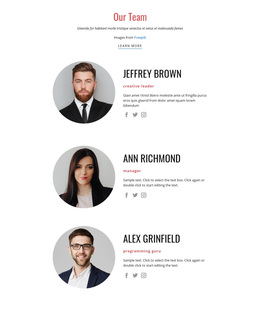
NextGen Marketing Lab Web Page Design


A Left-Aligned Heading Anchors the Three-Card Composition
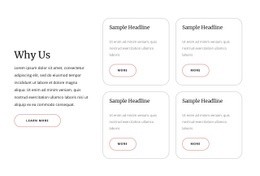
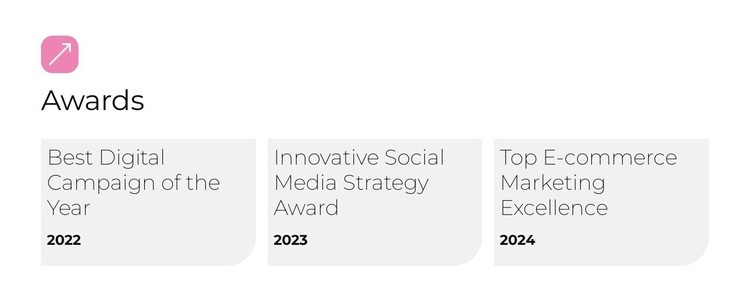
The composition begins with a large left-aligned Awards heading, giving the visitor a clear entry point before the eye moves across the three-card row. The pink decorative icon adds a small counterpoint to that heading without taking over the layout. Beneath it, the cards distribute the recognition content horizontally, creating a deliberate page rhythm rather than stacking every record into one narrow column.
Each card has equal compositional importance even though the award titles differ in length. Best Digital Campaign of the Year with 2022, Innovative Social Media Strategy Award with 2023, and Top E-commerce Marketing Excellence with 2024 need consistent internal spacing and typographic hierarchy to remain balanced. Pale gray surfaces define the individual content areas, while rounded lower-right corners repeat a subtle shape cue across the row. Generous gaps protect readability and make the section feel open.
Within one webpage, this block can act as a visually distinct transition into recognition content. Its strongest contribution is spatial: an introductory heading region leads into a compact, parallel set of information cards. The surrounding sections determine what comes before and after it, while this unit supplies a clear composition that can be placed into the page flow without carrying unrelated page-level responsibilities.
Customize with Nicepage
Open this ready-made template in the Web Page Design Builder and customize it visually in the Nicepage editor. Replace demo content, edit page sections, and adapt the design to your project without rebuilding the template from scratch.
Edit Template Offline
2. Create a new page or select existing
3. Click Add new block, search for id 6479175 and click enter
Edit Template Online
Create Awesome Websites


Free Nicepage Builder
Keywords
Design a Web Page Section by Section
Choose a Design for Each Section
Build the page from individual content sections instead of starting with a fixed full-page layout. Use Block Designs to browse ready-made sections for different purposes, including introductions, services, galleries, testimonials, contact forms, pricing, and other common parts of a web page. Search or filter the available designs to find a layout that fits the content you want to add.
Combine Blocks and Page Elements
Add selected Blocks to the page and arrange them in the order that supports the page's purpose. A hero section can introduce the main message, followed by services, benefits, portfolio content, testimonials, calls to action, or contact information.
Inside each section, use Web Page Elements such as Text, Image, Hyperlink, Grid, Gallery, and other elements to build and present the page content. Individual elements can be added and adjusted within the Blocks, giving you more control over the composition of each section without having to create the complete layout from scratch.
Refine the Page Layout and Flow
After assembling the main sections, adjust their content, spacing, backgrounds, images, typography, and element placement in the Nicepage editor. Reorder Blocks when necessary and refine the transition from one section to the next so the information hierarchy and visual flow remain clear throughout the page.
This workflow makes the template useful as a web page design that can be composed from ready-made sections, customized with individual page elements, rearranged, and adapted to the content and purpose of an individual page.