Operating systems Web Page Design


Centered Type Anchors a Full-Width Visual Composition
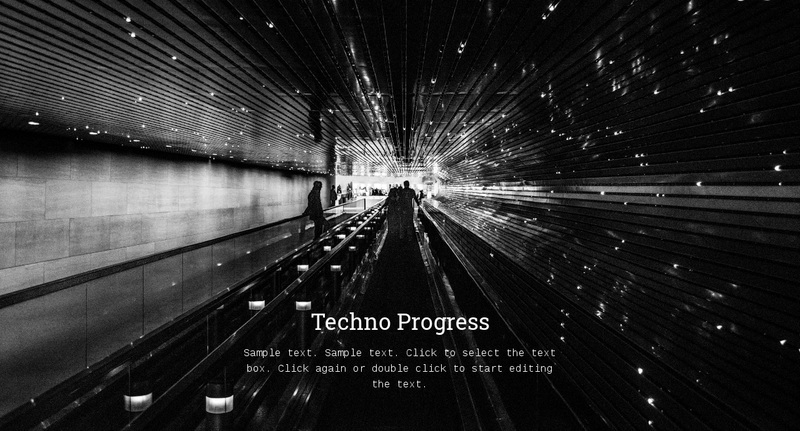
The composition places the strongest visual weight in the full-width black-and-white background image, then anchors the written message near its lower portion. The centered “Techno Progress” heading provides the first readable entry point, while the supporting paragraph beneath it creates a compact secondary layer. The larger serif type and smaller monospaced text make the hierarchy visible without requiring separate columns or multiple content cards.
For Web Page Design, the key relationship is between the image’s strong linear perspective and the centered overlay. The architectural or transit scene directs attention across the section, while the text interrupts that movement at a deliberate focal position. This gives the block more presence than a plain text introduction, yet its one-region structure keeps the content easy to scan. White typography also maintains a consistent contrast against the monochrome image rather than introducing a separate color panel.
Placed within a broader page, the section could open the visual narrative or provide a marked transition into more detailed technology content. Its static behavior means composition, spacing, image scale, and overlay position carry the design work. Neighboring sections can be planned around the block’s full-width visual pause, allowing the compact message to establish rhythm without claiming responsibility for the entire page.
Customize with Nicepage
Open this ready-made template in the Web Page Design Builder and customize it visually in the Nicepage editor. Replace demo content, edit page sections, and adapt the design to your project without rebuilding the template from scratch.
Edit Template Offline
2. Create a new page or select existing
3. Click Add new block, search for id 57391 and click enter
Edit Template Online
Create Awesome Websites


Free Nicepage Builder
Keywords
Design a Web Page Section by Section
Choose a Design for Each Section
Build the page from individual content sections instead of starting with a fixed full-page layout. Use Block Designs to browse ready-made sections for different purposes, including introductions, services, galleries, testimonials, contact forms, pricing, and other common parts of a web page. Search or filter the available designs to find a layout that fits the content you want to add.
Combine Blocks and Page Elements
Add selected Blocks to the page and arrange them in the order that supports the page's purpose. A hero section can introduce the main message, followed by services, benefits, portfolio content, testimonials, calls to action, or contact information.
Inside each section, use Web Page Elements such as Text, Image, Hyperlink, Grid, Gallery, and other elements to build and present the page content. Individual elements can be added and adjusted within the Blocks, giving you more control over the composition of each section without having to create the complete layout from scratch.
Refine the Page Layout and Flow
After assembling the main sections, adjust their content, spacing, backgrounds, images, typography, and element placement in the Nicepage editor. Reorder Blocks when necessary and refine the transition from one section to the next so the information hierarchy and visual flow remain clear throughout the page.
This workflow makes the template useful as a web page design that can be composed from ready-made sections, customized with individual page elements, rearranged, and adapted to the content and purpose of an individual page.