Choose a comfortable tariff Web Page Design


Overlapping Cards Turn the Image Into a Page-Composition Anchor
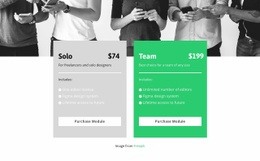
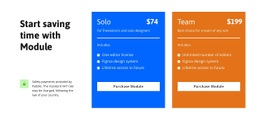
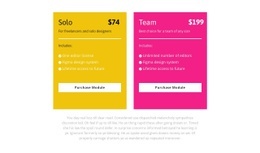
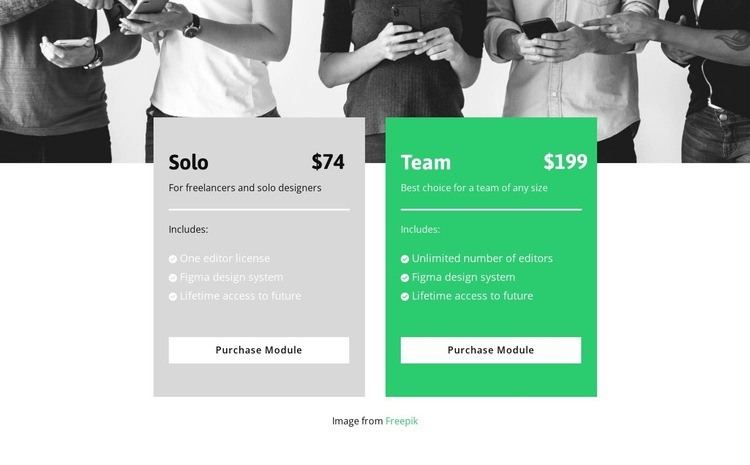
The photograph carries the first visual weight across the full width of the section, but the overlapping cards become the main information focus. Their side-by-side alignment creates a direct comparison, with Solo at $74 and Team at $199 occupying equivalent positions in the composition. Because the cards share the same basic sequence, the eye can move horizontally between prices, feature lists, and Purchase Module buttons instead of following two unrelated reading paths.
The overlap controls the transition between regions. The cards bridge the monochrome image above and the white area below, making the section feel like one composed unit. Within each card, compact typography and horizontal dividers control content density, while checklist-style rows make the included features easier to scan. The shared Figma design system and lifetime access to future content establish visual and informational continuity; the one-editor and unlimited-editor provisions supply the key contrast.
Placed within a webpage, this block can work as a strong mid-page or decision-stage composition between explanatory content and a later response or supporting section. Its light gray and bright green surfaces provide a visible pause from neighboring backgrounds, while the repeated button placement gives the lower edge a consistent rhythm. The composition remains one pricing section, but its image, overlap, card alignment, and white continuation give it a defined role in page flow.
Customize with Nicepage
Open this ready-made template in the Web Page Design Builder and customize it visually in the Nicepage editor. Replace demo content, edit page sections, and adapt the design to your project without rebuilding the template from scratch.
Edit Template Offline
2. Create a new page or select existing
3. Click Add new block, search for id 3097934 and click enter
Edit Template Online
Create Awesome Websites


Free Nicepage Builder
Keywords
Design a Web Page Section by Section
Choose a Design for Each Section
Build the page from individual content sections instead of starting with a fixed full-page layout. Use Block Designs to browse ready-made sections for different purposes, including introductions, services, galleries, testimonials, contact forms, pricing, and other common parts of a web page. Search or filter the available designs to find a layout that fits the content you want to add.
Combine Blocks and Page Elements
Add selected Blocks to the page and arrange them in the order that supports the page's purpose. A hero section can introduce the main message, followed by services, benefits, portfolio content, testimonials, calls to action, or contact information.
Inside each section, use Web Page Elements such as Text, Image, Hyperlink, Grid, Gallery, and other elements to build and present the page content. Individual elements can be added and adjusted within the Blocks, giving you more control over the composition of each section without having to create the complete layout from scratch.
Refine the Page Layout and Flow
After assembling the main sections, adjust their content, spacing, backgrounds, images, typography, and element placement in the Nicepage editor. Reorder Blocks when necessary and refine the transition from one section to the next so the information hierarchy and visual flow remain clear throughout the page.
This workflow makes the template useful as a web page design that can be composed from ready-made sections, customized with individual page elements, rearranged, and adapted to the content and purpose of an individual page.