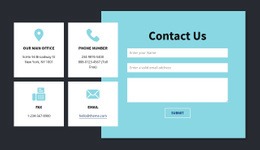
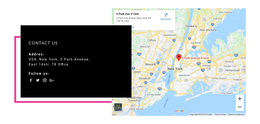
Professional contact us block Web Page Design


Overlapping Panels Give the Contact Section a Clear Page Rhythm
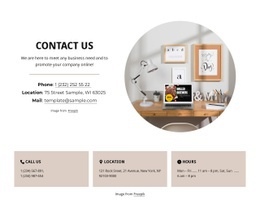
The composition uses the wide business-desk image as an upper visual field, then places two overlapping rounded panels across it. This creates depth without obscuring the section’s information hierarchy. The blue support panel anchors the left side with “What Can We Offer for Your Business,” a three-item list, and the Quick Support Number label. On the right, the white panel concentrates “Contact Us” and “Request A Quote” above the name and message inputs and the Submit action.
The horizontal alignment makes the two functions readable as a pair rather than as unrelated content. The support information establishes context, while the form provides the section’s practical endpoint. Generous spacing separates the panel contents from their rounded edges, and the dark charcoal background gives the vivid blue and white surfaces enough contrast to read as distinct layers. Bold sans-serif headings help visitors enter the section through its main messages before moving to smaller details and fields.
Within one webpage, this block can work as a visually weighty contact or quote-request transition between broader content areas. Its composition is specific to the section: it does not need to carry the whole page structure. Nicepage’s Block Designs may provide a broader page-composition context, while this block retains its own image, panel relationship, content hierarchy, and response function.
Customize with Nicepage
Open this ready-made template in the Web Page Design Builder and customize it visually in the Nicepage editor. Replace demo content, edit page sections, and adapt the design to your project without rebuilding the template from scratch.
Edit Template Offline
2. Create a new page or select existing
3. Click Add new block, search for id 2900978 and click enter
Edit Template Online
Create Awesome Websites


Free Nicepage Builder
Keywords
Design a Web Page With This Block as One Section
Place the Block in the Page Composition
Use Block Designs to combine individual sections into a complete page. The analyzed block contributes one part of that composition, while other sections can handle the introduction, services, proof, portfolio, pricing, contact, or other page-level needs.
Refine the Elements Inside the Block
Use Web Page Elements such as Text, Image, Hyperlink, Grid, Gallery, and other elements to refine the section's content. Adjust the existing elements without assuming that one block must carry the entire page structure.
Balance the Section With Neighboring Content
After the block is placed, refine its spacing, image scale, text density, alignment, and background treatment so the transition into and out of the section feels intentional. Reorder Blocks at the page level when necessary while keeping the internal composition of each section coherent.
This workflow treats the block as one compositional unit in a web page: internally designed, visually distinct, and coordinated with the sections around it.