Holly Meyer Web Page Design


Edit Template Offline
2. Create new page and search for id 22404
Edit Template Online
Create Awesome Websites


Free Nicepage Builder
Keywords
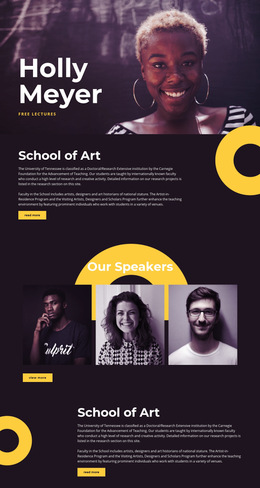
A Portrait Hero Leads into Alternating Editorial and Grid Rhythms
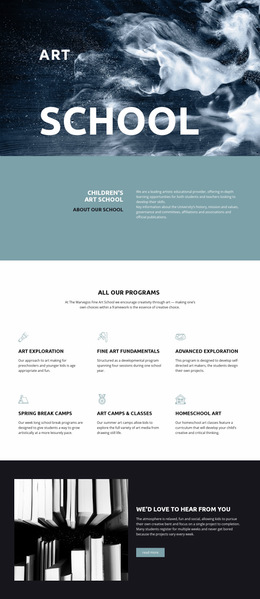
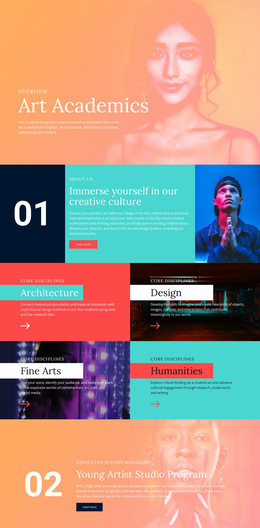
The composition begins with a large text-on-image hero in which Holly Meyer, the free-lecture label, and portrait photography share one high-impact field. That concentrated opening is followed by a split School of Art section, where explanatory text sits beside a decorative image and a compact Read more action. The change from overlay to split alignment lowers the visual density and gives institutional information a quieter reading space.
The three speaker portraits then establish a horizontal repeated rhythm, while the six lecture entries change the page again into two rows of three. This shift from individual faces to compact program items helps distinguish people from events without requiring heavy visual borders. A second School of Art block returns to the earlier editorial treatment, and the Masters of Fine Arts section uses text over an atmospheric image to restore emphasis before the partner marks.
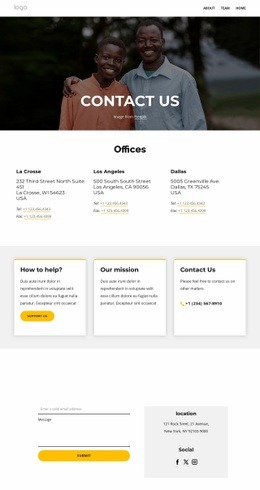
At the bottom, Contact Us combines location copy with a message form over a dark auditorium image. That placement creates a clear compositional ending: contextual information sits beside the interaction rather than appearing as an unrelated appendix. The page's dark spacing, yellow circles, bold headings, and muted imagery control transitions between sections and give the long composition a deliberate arts-editorial rhythm.
Customize with Nicepage
Open this ready-made template in the Web Page Design Builder and customize it visually in the Nicepage editor. Replace demo content, edit page sections, and adapt the design to your project without rebuilding the template from scratch.
Design a Web Page Section by Section
Choose a Design for Each Section
Build the page from individual content sections instead of starting with a fixed full-page layout. Use Block Designs to browse ready-made sections for different purposes, including introductions, services, galleries, testimonials, contact forms, pricing, and other common parts of a web page. Search or filter the available designs to find a layout that fits the content you want to add.
Combine Blocks and Page Elements
Add selected Blocks to the page and arrange them in the order that supports the page's purpose. A hero section can introduce the main message, followed by services, benefits, portfolio content, testimonials, calls to action, or contact information.
Inside each section, use Web Page Elements such as Text, Image, Hyperlink, Grid, Gallery, and other elements to build and present the page content. Individual elements can be added and adjusted within the Blocks, giving you more control over the composition of each section without having to create the complete layout from scratch.
Refine the Page Layout and Flow
After assembling the main sections, adjust their content, spacing, backgrounds, images, typography, and element placement in the Nicepage editor. Reorder Blocks when necessary and refine the transition from one section to the next so the information hierarchy and visual flow remain clear throughout the page.
This workflow makes the template useful as a web page design that can be composed from ready-made sections, customized with individual page elements, rearranged, and adapted to the content and purpose of an individual page.