Small Pricing Web Page Design


A Strong Heading Leads Into a Balanced Plan Comparison
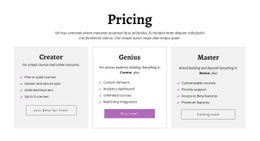
The composition begins with the large “Small Pricing Plan For Your Creative Business” heading, which gives the page section a clear entry point. A supporting portrait adds visual weight near the introduction, creating a transition into the two-card pricing group. The cards then form the main information area, with their matching rounded shapes making them read as a coordinated pair rather than separate promotional objects.
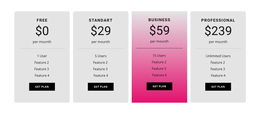
Within each card, the $0 or $29 monthly price is followed by a Per Month label, a 15 Users label, three additional feature labels, and a Get Plan action. This consistent vertical hierarchy supports scanning and makes the two plans easy to compare. The white background creates open space around the composition, pale gray card surfaces provide containment, and black typography keeps the content stable while pink and purple accents guide attention toward key decision points.
As one unit in a webpage, the block can work as a transition from broader business or service information into a more specific plan choice. Its content density is concentrated rather than spread across many small items, so neighboring sections can provide context before it and testimonials, contact details, or follow-up information afterward. The composition contributes one clear pricing moment to the page without attempting to represent the page’s full structure.
Customize with Nicepage
Open this ready-made template in the Web Page Design Builder and customize it visually in the Nicepage editor. Replace demo content, edit page sections, and adapt the design to your project without rebuilding the template from scratch.
Edit Template Offline
2. Create a new page or select existing
3. Click Add new block, search for id 1714801 and click enter
Edit Template Online
Create Awesome Websites


Free Nicepage Builder
Keywords
Design a Web Page With This Block as One Section
Place the Block in the Page Composition
Use Block Designs to combine individual sections into a complete page. The analyzed block contributes one part of that composition, while other sections can handle the introduction, services, proof, portfolio, pricing, contact, or other page-level needs.
Refine the Elements Inside the Block
Use Web Page Elements such as Text, Image, Hyperlink, Grid, Gallery, and other elements to refine the section's content. Adjust the existing elements without assuming that one block must carry the entire page structure.
Balance the Section With Neighboring Content
After the block is placed, refine its spacing, image scale, text density, alignment, and background treatment so the transition into and out of the section feels intentional. Reorder Blocks at the page level when necessary while keeping the internal composition of each section coherent.
This workflow treats the block as one compositional unit in a web page: internally designed, visually distinct, and coordinated with the sections around it.