Good mood good food Web Page Design


Edit Template Offline
2. Create new page and search for id 14548
Edit Template Online
Create Awesome Websites


Free Nicepage Builder
Keywords
Asymmetrical Splits Give Quality, Categories, and Recipes Different Weight
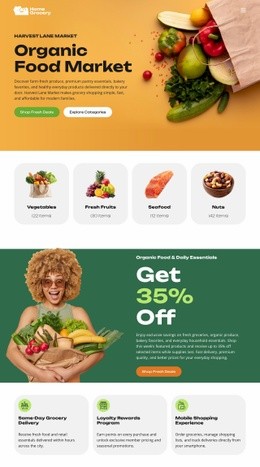
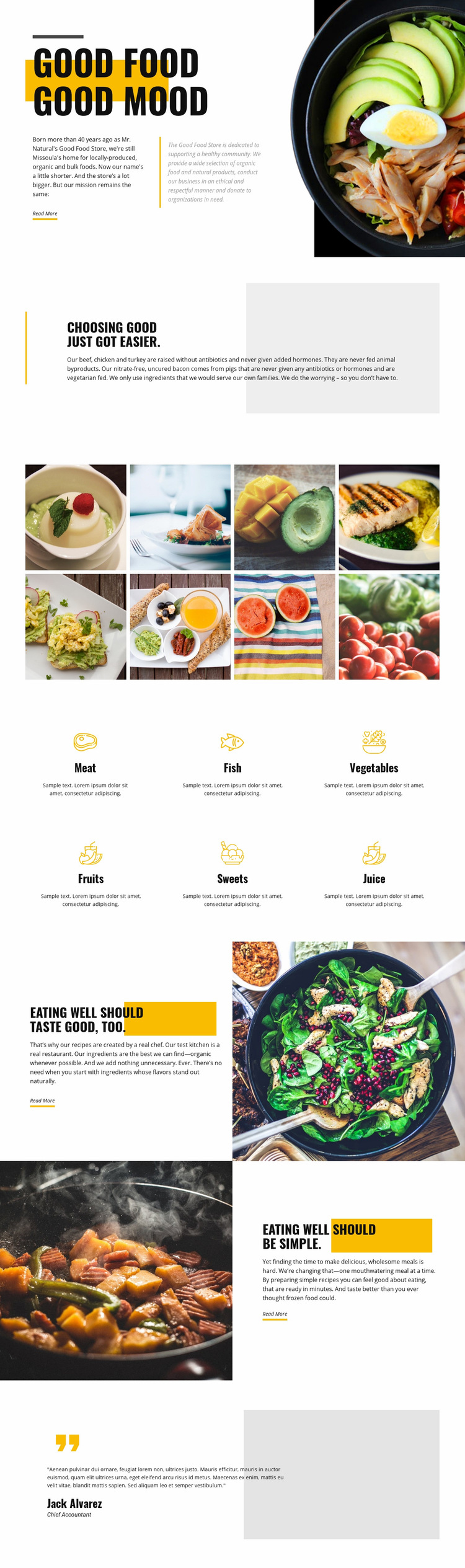
The page composition depends on changes in density and direction rather than on one repeated layout. The opening places the GOOD FOOD GOOD MOOD message beside a large bowl photograph, making the first visual relationship broad and image-led. The quality section then becomes narrower and more focused, using text beside a pale gray geometric shape and a vertical accent line. This reduction in visual scale gives the sourcing explanation a quieter reading space.
The eight-image gallery changes the rhythm again through two rows of four equal tiles. Its repeated geometry creates a clear visual pause before the six category items introduce another organized pattern of icons, labels, and short descriptions. The page therefore alternates between asymmetrical editorial composition and evenly distributed content, helping the food selection feel varied without losing order. The category grid also gives all six food groups comparable visual importance.
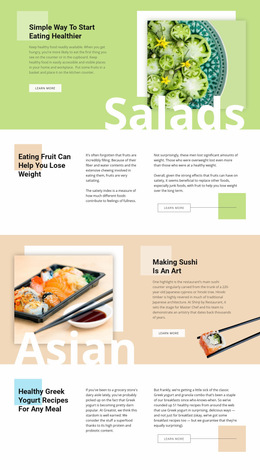
The final split sections use image-and-text balance to separate two related messages. One pairs chef-created recipes and organic ingredients with a meal photograph; the next reverses the arrangement while discussing convenient meals. That reversal prevents the lower page from becoming visually uniform and guides the eye through a distinct sequence. Read More actions sit within these content panels as natural continuation points. Together, the placement, spacing, image scale, and section transitions define the composition of this particular page.
Customize with Nicepage
Open this ready-made template in the Web Page Design Builder and customize it visually in the Nicepage editor. Replace demo content, edit page sections, and adapt the design to your project without rebuilding the template from scratch.
Design a Web Page Section by Section
Choose a Design for Each Section
Build the page from individual content sections instead of starting with a fixed full-page layout. Use Block Designs to browse ready-made sections for different purposes, including introductions, services, galleries, testimonials, contact forms, pricing, and other common parts of a web page. Search or filter the available designs to find a layout that fits the content you want to add.
Combine Blocks and Page Elements
Add selected Blocks to the page and arrange them in the order that supports the page's purpose. A hero section can introduce the main message, followed by services, benefits, portfolio content, testimonials, calls to action, or contact information.
Inside each section, use Web Page Elements such as Text, Image, Hyperlink, Grid, Gallery, and other elements to build and present the page content. Individual elements can be added and adjusted within the Blocks, giving you more control over the composition of each section without having to create the complete layout from scratch.
Refine the Page Layout and Flow
After assembling the main sections, adjust their content, spacing, backgrounds, images, typography, and element placement in the Nicepage editor. Reorder Blocks when necessary and refine the transition from one section to the next so the information hierarchy and visual flow remain clear throughout the page.
This workflow makes the template useful as a web page design that can be composed from ready-made sections, customized with individual page elements, rearranged, and adapted to the content and purpose of an individual page.