Professional Math Education One Page Template


Edit Template Offline
2. Create new page and search for id 6626928
Edit Template Online
Create Awesome Websites


Free Nicepage Builder
Keywords
Eight Program Destinations Lead Into Preparation and Contact
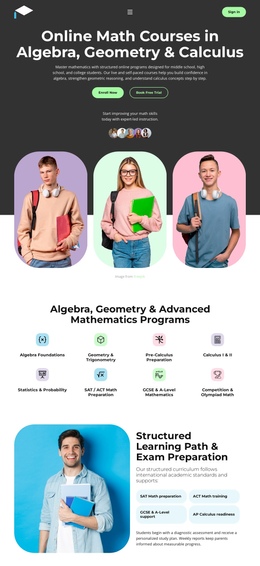
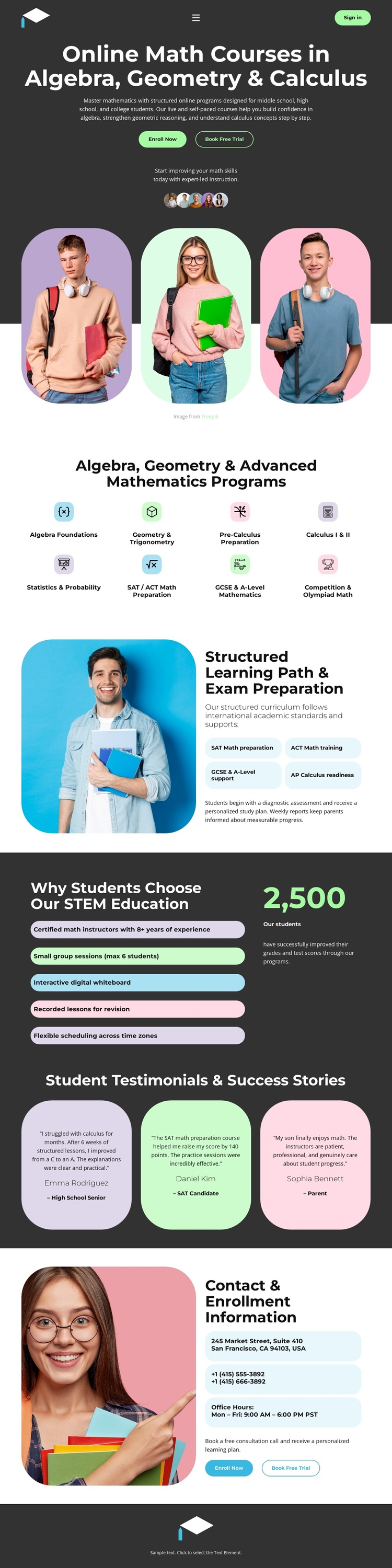
The page contains several distinct information zones that can be explored in sequence without separating the experience into unrelated documents. The opening hero establishes the mathematics education topic and presents Enroll Now and Book Free Trial actions. From there, the eight-item program area works as a broad subject destination: visitors can scan Algebra Foundations, Geometry and Trigonometry, Pre-Calculus Plus, Calculus, Statistics, test preparation, school-level mathematics, and competition study before continuing.
The next major destination changes from programme range to learning direction. Its split layout places a student photograph beside SAT Math, ACT Math, and AP Calculus preparation content. The benefits block then offers a service-model destination, with information about instructors, small group sessions, a digital whiteboard, bespoke revision lessons, and flexible scheduling. Three adjacent testimonial cards create a separate success-story area, giving the continuous page a change in rhythm and content purpose.
The final contact section serves as the practical destination for enrollment information. Its side-by-side image and contact panel lead into Get Started and Book Free Trial actions, while the compact footer provides closure. This sequence supports a one-page structure because each major block can represent a meaningful point in the content journey: introduction, programs, preparation, service benefits, testimonials, and contact. The actions remain part of that journey without becoming its only organizing principle.
Customize with Nicepage
Open this ready-made template in the One Page Template Builder and customize it visually in the Nicepage editor. Replace demo content, edit page sections, and adapt the design to your project without rebuilding the template from scratch.
Build a Navigable One-Page Website
Connect the Menu to Page Sections
Organize the website as a sequence of sections on a single page and use the Menu For One-Page Site to connect menu items with individual page Blocks. Visitors can jump directly to sections such as About, Services, Testimonials, or Contact without opening separate pages.
Keep the Website on One URL
A one-page template can combine several parts of a small website within one continuous page. Arrange the Header, introduction, services, portfolio, company information, reviews, contact details, and other relevant sections in the order that fits the project while keeping them accessible through the same page navigation.
Make Long Pages Easier to Navigate
For longer one-page websites, keep navigation labels short and connected to meaningful sections so visitors can move through the page without relying only on scrolling. You can also use the Back To Top element to provide a quick way back to the beginning after longer sections.
This workflow makes the template suitable for compact websites that need several distinct content sections while keeping the complete visitor experience on one URL.