List and text in grid One Page Template


A Distinct Services Destination Within Continuous Page Flow
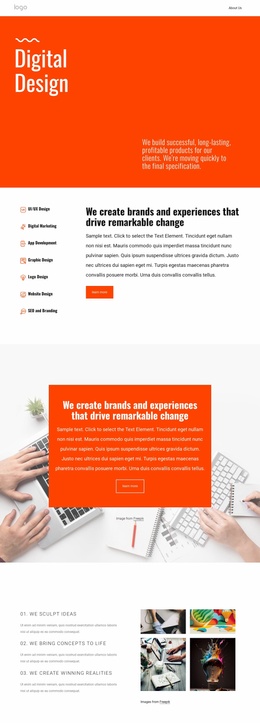
The left-hand list gives the block a clear information destination: visitors can recognize it as the place where the available design and branding services are summarized. Seven labels—UI/UX Design, Digital Marketing, App Development, Graphic Design, Logo Design, Website Design, and SEO and Branding—form a consistent vertical sequence, with orange-toned icons helping each item stand apart without breaking the overall grouping.
The right side adds the section’s explanation and identity. The heading “We create brands and experiences that drive remarkable change” establishes the theme, while the supporting paragraph provides room for a short introduction and the Learn more button offers a secondary continuation. The content therefore has enough internal definition to sit between neighboring sections such as an introduction, portfolio, proof, or contact area in a continuous one-page experience.
The two-column structure also creates a natural pause in the page journey. The service list can be scanned independently, then connected to the heading and action on the opposite side. White space, dark typography, and orange accents provide visual separation from adjacent blocks, while the section remains one reusable content destination rather than becoming a complete one-page site.
Customize with Nicepage
Open this ready-made template in the One Page Template Builder and customize it visually in the Nicepage editor. Replace demo content, edit page sections, and adapt the design to your project without rebuilding the template from scratch.
Edit Template Offline
2. Create a new page or select existing
3. Click Add new block, search for id 6058620 and click enter
Edit Template Online
Create Awesome Websites


Free Nicepage Builder
Keywords
Use This Block as a Section in a One-Page Website
Give the Block a Distinct Content Role
A one-page website combines several meaningful content sections within one continuous document. A block can serve as one of those destinations—for example About, Services, Gallery, Testimonials, Pricing, Team, or Contact—while other blocks provide the rest of the page journey.
Connect Navigation to Meaningful Sections
When the final page uses section-based navigation, Menu For One-Page Site can connect menu items to individual page Blocks. The analyzed block does not prove that anchor navigation already exists; it simply provides one possible destination when its content is substantial enough to stand as a recognizable section.
Keep Longer Pages Easy to Explore
For long one-page sites, Back To Top can help visitors return to the beginning after moving through several sections. Navigation behavior is managed at the page level, while each block retains its own content function.
This workflow positions the block as one part of a continuous one-page experience rather than treating a single section as the entire one-page site.