Design thinking One Page Template


The centered statement marks a distinct agency destination
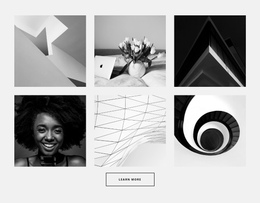
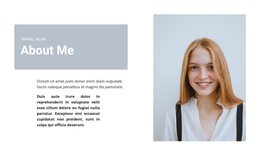
The centered heading gives this section a clear identity within a continuous one-page experience. It introduces the branding and design agency in one statement, then hands the visual emphasis to three square panels arranged in a single horizontal row. The portrait, office interior, and double-exposure portrait create three related but different ways to encounter the agency: people, working environment, and creative image treatment. White spacing keeps the row legible, while the orange-and-white background and decorative shape help separate this content destination from adjacent sections.
Within a longer page flow, the block can sit near the beginning as an introduction before visitors reach more detailed service information, portfolio material, or contact content. Its role is informational and orienting rather than a complete page or a standalone response path. Because the interaction is static, the section can be scanned as one stable destination without depending on a carousel, tabs, or expandable controls.
If the surrounding page later uses section-based navigation, Nicepage’s Menu For One-Page Site can provide a possible navigation bridge. The menu belongs to the wider page experience; this block’s contribution remains the clearly bounded agency statement and its three-image visual row.
Customize with Nicepage
Open this ready-made template in the One Page Template Builder and customize it visually in the Nicepage editor. Replace demo content, edit page sections, and adapt the design to your project without rebuilding the template from scratch.
Edit Template Offline
2. Create a new page or select existing
3. Click Add new block, search for id 44988 and click enter
Edit Template Online
Create Awesome Websites


Free Nicepage Builder
Keywords
Build a Navigable One-Page Website
Connect the Menu to Page Sections
Organize the website as a sequence of sections on a single page and use the Menu For One-Page Site to connect menu items with individual page Blocks. Visitors can jump directly to sections such as About, Services, Testimonials, or Contact without opening separate pages.
Keep the Website on One URL
A one-page template can combine several parts of a small website within one continuous page. Arrange the Header, introduction, services, portfolio, company information, reviews, contact details, and other relevant sections in the order that fits the project while keeping them accessible through the same page navigation.
Make Long Pages Easier to Navigate
For longer one-page websites, keep navigation labels short and connected to meaningful sections so visitors can move through the page without relying only on scrolling. You can also use the Back To Top element to provide a quick way back to the beginning after longer sections.
This workflow makes the template suitable for compact websites that need several distinct content sections while keeping the complete visitor experience on one URL.