PC gaming news One Page Template



Edit Template Offline
2. Create new page and search for id 358254
Edit Template Online
Create Awesome Websites


Free Nicepage Builder
Keywords
News, Games, Gadgets, and VR Create Distinct Page Destinations
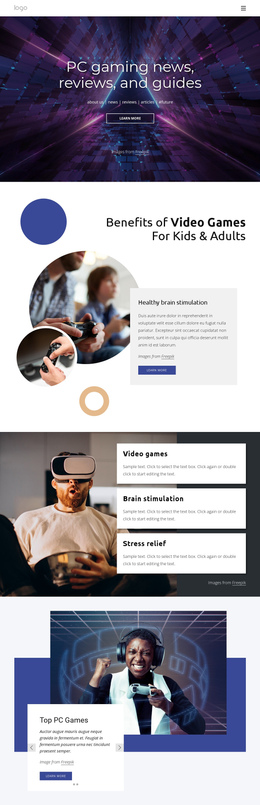
The design contains several substantial information zones that can be explored in sequence without splitting the subject across separate pages. The opening hero introduces PC gaming news, reviews, and guides, while its category links establish the first orientation point. The benefits section then changes the subject from publication identity to the effects and uses of video games, with three stacked cards giving the next group a clear internal focus.
The Top PC Games slider works as another destination because its two slides, image, text, indicators, and previous/next controls create a self-contained feature area. After that, the gaming-gadget banner and the free-download block offer separate discovery points, followed by VR-Technologies as a focused technology section. The final contact form and Follow us links provide a closing destination rather than merely repeating the hero action.
This sequence supports a one-page information architecture built around several content questions: what the publication covers, what benefits it discusses, which games it features, which gadgets and downloads it presents, and how readers can respond. The analysis confirms the sections and navigation component, but it does not verify anchor links. The page can therefore be interpreted as a continuous set of meaningful destinations without claiming that anchor navigation is already configured.
Customize with Nicepage
Open this ready-made template in the One Page Template Builder and customize it visually in the Nicepage editor. Replace demo content, edit page sections, and adapt the design to your project without rebuilding the template from scratch.
Build a Navigable One-Page Website
Connect the Menu to Page Sections
Organize the website as a sequence of sections on a single page and use the Menu For One-Page Site to connect menu items with individual page Blocks. Visitors can jump directly to sections such as About, Services, Testimonials, or Contact without opening separate pages.
Keep the Website on One URL
A one-page template can combine several parts of a small website within one continuous page. Arrange the Header, introduction, services, portfolio, company information, reviews, contact details, and other relevant sections in the order that fits the project while keeping them accessible through the same page navigation.
Make Long Pages Easier to Navigate
For longer one-page websites, keep navigation labels short and connected to meaningful sections so visitors can move through the page without relying only on scrolling. You can also use the Back To Top element to provide a quick way back to the beginning after longer sections.
This workflow makes the template suitable for compact websites that need several distinct content sections while keeping the complete visitor experience on one URL.