Modern Poetry Author Landing Page


Edit Template Offline
2. Create new page and search for id 6660403
Edit Template Online
Create Awesome Websites


Free Nicepage Builder
Keywords
From collection discovery to literary engagement
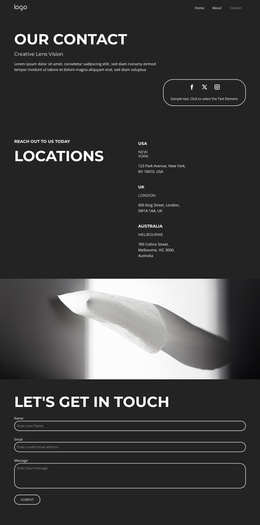
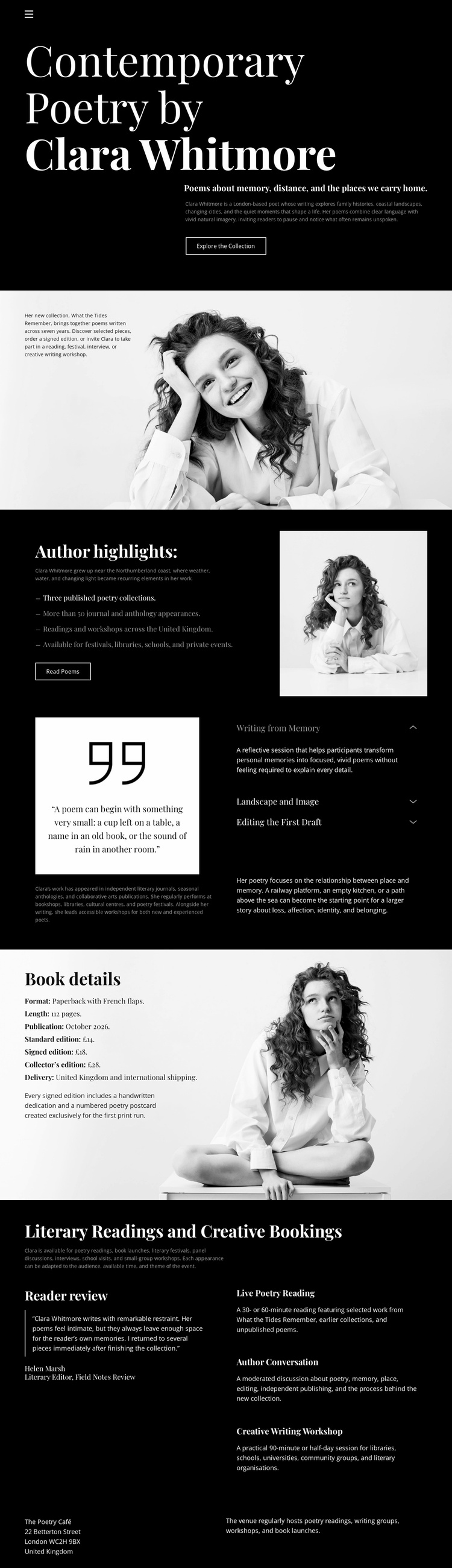
The opening hero gives the page a clear first response path by combining Clara Whitmore’s identity, the contemporary poetry positioning, and the Explore the Collection button on a dark background. Visitors first understand who is being presented and what they can explore. The following portrait introduction then adds human context, while Author highlights turns the collection into a more specific subject through concise points and a Read Poems action.
The middle sections support different stages of consideration. Working from Memory creates a reflective pause through a quotation and thematic labels, allowing the page to communicate the author’s creative perspective rather than presenting only a publication title. Book details then returns attention to the collection with descriptive copy and portrait imagery. This movement from identity to process to publication gives the page an evidence-like progression without inventing reviews, sales figures, or other unsupported claims.
The final Literary Readings and Creative Bookings grid changes the response opportunity from reading to professional engagement. Four offerings, including Poetry Reading, Author Conversation, and Creative Writing Workshop, show the range of possible inquiries before the compact contact footer closes the journey. For a campaign or author promotion, the strongest actions can remain centered on collection exploration and booking contact. The page’s value as a landing design comes from this sequence: introduce the author, deepen interest in the work, clarify available engagements, and provide a final communication point.
Customize with Nicepage
Open this ready-made template in the Landing Page Builder and customize it visually in the Nicepage editor. Replace demo content, edit page sections, and adapt the design to your project without rebuilding the template from scratch.
Build a Landing Page Around One Conversion Goal
Focus on One Primary Action
Use the landing page to guide visitors toward one measurable response, such as requesting a quote, registering, subscribing, booking a consultation, applying for a service, or submitting an inquiry. Keep the primary call-to-action consistent across the important sections so the headline, supporting content, form, and CTA buttons work toward the same campaign goal instead of competing for attention.
Capture Leads With a Form
Use the Contact Form Element to add a contact, subscription, application, or other conversion form directly to the landing page. Customize the form fields, layout, labels, inputs, and button to collect the information required for your campaign while keeping the form focused on the action you want visitors to complete.
Nicepage also provides several form submission options. Form submissions can be sent to Email, stored as Leads, added to Google Sheets, passed to a custom URL or server endpoint, or used to populate a MailChimp mailing list. This provides practical options for collecting inquiries, registrations, subscriptions, applications, and other campaign responses.
Manage Leads and Campaign Responses
When submissions are stored as Leads, you can use Contact Form Leads to review the information collected through the landing page and use it for follow-up. Keep the form connected to the same offer and primary CTA presented throughout the page so visitors move from the campaign message to a clear conversion action.
This workflow makes the template suitable for landing pages where the offer, content, call-to-action, form, and lead collection process work together toward one defined conversion goal.

More from Art & Design Landing Pages
-
Free Website Builder SoftwareDownload