
10 Years of Style Landing Page
Edit Template Offline
2. Create new page and search for id 6548896
Edit Template Online
Create Awesome Websites


Free Nicepage Builder
Keywords
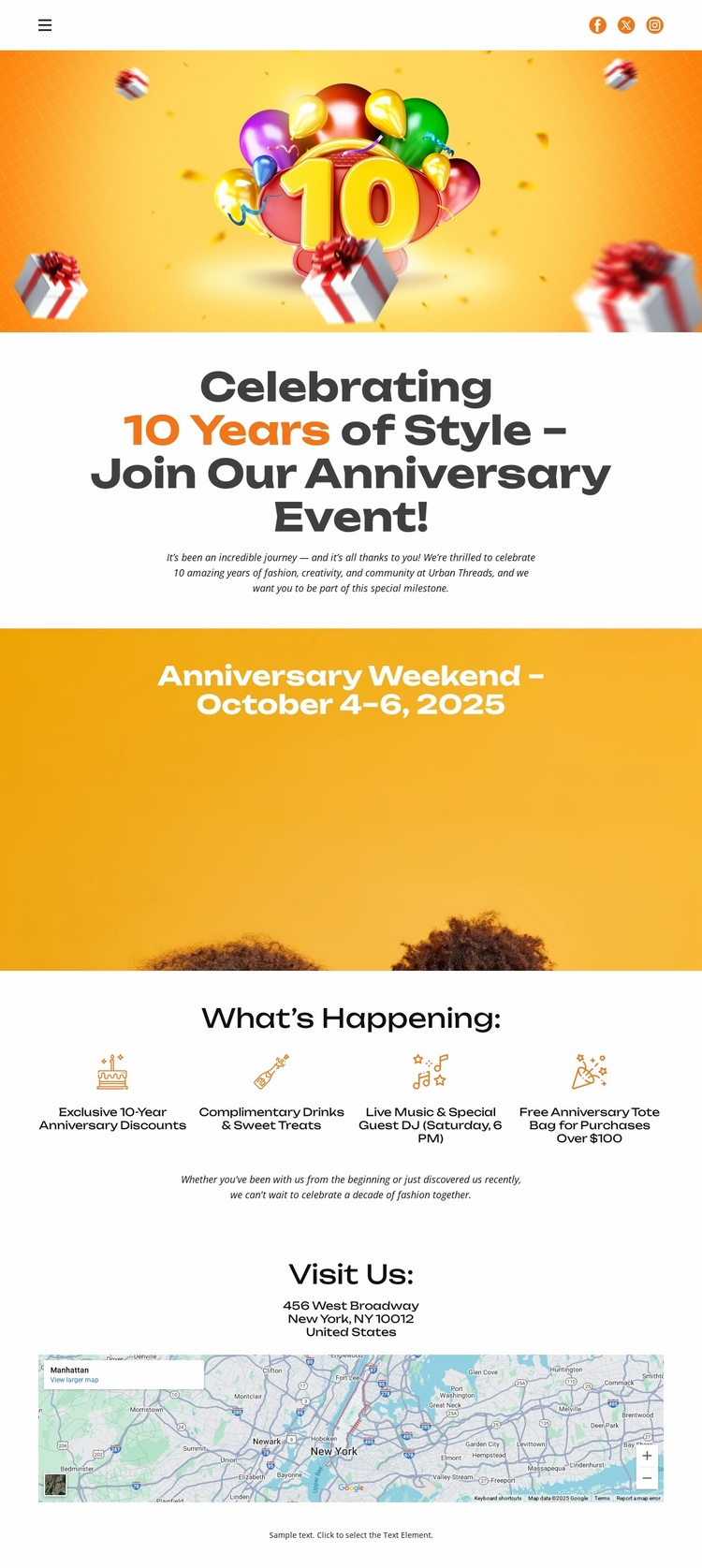
The Date Banner Turns Celebration Details Into an Attendance Path
The page opens with a clear reason to pay attention: balloon artwork, the “10 Years of Style” message, and an invitation to join an anniversary event. That first section establishes the occasion emotionally and textually, while the following golden-orange banner gives visitors the most important scheduling detail, October 4–6, 2025, in a separate high-visibility area. The sequence moves naturally from recognition of the event to the question of when it takes place.
The four highlights then support attendance by showing what the weekend includes. The exclusive anniversary event frames the occasion, complimentary drinks and gourmet treats add a hospitality detail, live music and a special guest performance provide entertainment context, and the tote-bag promotion introduces a purchase-related incentive. Because these details sit together beneath What’s Happening, they can reinforce one attendance decision instead of sending visitors toward unrelated page purposes.
The Visit Us section provides the final practical step through venue address information and a map image. It brings the promotional sequence back to the physical location, connecting interest in the celebration with the information needed to find it. The page does not depend on a large navigation system or multiple content paths; its tall composition keeps attention on the anniversary, the weekend dates, the reasons to come, and the venue destination. That focused progression makes the design suitable for an event response page.
Customize with Nicepage
Open this ready-made template in the Landing Page Builder and customize it visually in the Nicepage editor. Replace demo content, edit page sections, and adapt the design to your project without rebuilding the template from scratch.
Build a Landing Page Around One Conversion Goal
Focus on One Primary Action
Use the landing page to guide visitors toward one measurable response, such as requesting a quote, registering, subscribing, booking a consultation, applying for a service, or submitting an inquiry. Keep the primary call-to-action consistent across the important sections so the headline, supporting content, form, and CTA buttons work toward the same campaign goal instead of competing for attention.
Capture Leads With a Form
Use the Contact Form Element to add a contact, subscription, application, or other conversion form directly to the landing page. Customize the form fields, layout, labels, inputs, and button to collect the information required for your campaign while keeping the form focused on the action you want visitors to complete.
Nicepage also provides several form submission options. Form submissions can be sent to Email, stored as Leads, added to Google Sheets, passed to a custom URL or server endpoint, or used to populate a MailChimp mailing list. This provides practical options for collecting inquiries, registrations, subscriptions, applications, and other campaign responses.
Manage Leads and Campaign Responses
When submissions are stored as Leads, you can use Contact Form Leads to review the information collected through the landing page and use it for follow-up. Keep the form connected to the same offer and primary CTA presented throughout the page so visitors move from the campaign message to a clear conversion action.
This workflow makes the template suitable for landing pages where the offer, content, call-to-action, form, and lead collection process work together toward one defined conversion goal.
