Step-by-step proces Joomla Template


Structured service information fits a Joomla content region
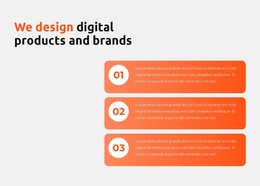
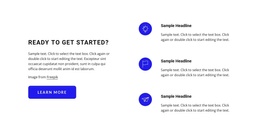
The heading and introductory paragraph establish a focused information area before the three service cards divide the process into recognizable units. International Shipping explains access to USA stores that do not ship internationally. Access & Discover highlights exclusive products and USA brands or stores. Personalized Service shifts the emphasis to personal order handling and enquiries answered within 24 hours. Together, these cards form structured service information rather than a loose collection of promotional statements.
The repeated card pattern is useful in a Joomla-managed page because each capability has a stable visual and editorial boundary. Icons identify the three units quickly, titles name their subjects, and descriptive paragraphs provide the supporting explanation. The golden-yellow section background contains the group, while white cards preserve separation and the black learn more button creates a clear next point after the information has been read.
Within a Joomla project, this block can remain a reusable visual section for a service or process area while the wider site manages its broader content and page structure. The block does not need to carry the entire site architecture; its contribution is the organized presentation of three related capabilities. That makes it suitable for a page region where visitors need to understand what the service covers before continuing to more detailed information.
Customize with Nicepage
Open this ready-made template in the Joomla Page Builder and customize it visually in the Nicepage editor. Replace demo content, edit page sections, and adapt the design to your project without rebuilding the template from scratch.
Edit Template Offline
2. Create a new page or select existing
3. Click Add new block, search for id 91244 and click enter
Edit Template Online
Create Awesome Websites


Free Nicepage Builder
Keywords
Work With This Template in Joomla
Customize and Install the Joomla Template
Start with this ready-made template instead of building the Joomla design from scratch. Customize its layout, content, typography, images, sections, and other design elements visually in the Nicepage application, then export and install the Joomla Template, Nicepage Extension, and supported content on your Joomla website.
Edit the Template Directly in Joomla
After installation, you can edit the Joomla Template directly in Joomla with the Nicepage Joomla Extension. Customize the Header, Footer, Colors, Fonts, typography, and Page Templates from the Joomla workflow while keeping the site design connected with your CMS content.
Edit Joomla Articles Visually
Use the Nicepage Joomla Extension to open and edit Joomla Articles visually from the Joomla Administrator. Change text, images, sections, layouts, and other page content in the Nicepage editor while continuing to manage the Articles through Joomla.
Joomla Content and Template Integration
Use the customized template together with Joomla Articles, module Positions, menus, forms, Blog Pages, and other supported CMS elements. With the Nicepage Extension used as the Site Style Source, shared design settings can be applied across Joomla Articles while Joomla continues to provide the CMS environment for managing site content.
This workflow combines a ready-made Joomla Template with visual customization, direct template editing in Joomla, and continued content management through the Nicepage Joomla Extension.