Opinions of our customers Joomla Template


One Coaching Statement Organized Around a Portrait
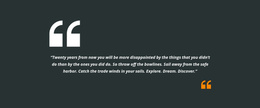
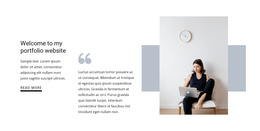
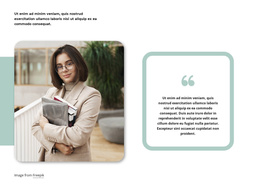
The quote paragraph creates one structured information unit, while the portrait on the right provides a separate but closely related visual unit. Together, these two areas organize the block as a testimonial-style content region that can participate in a Joomla-managed page. The written statement focuses on business coaches, experienced entrepreneurs, and their role in helping business owners reach goals; the portrait supports that people-centered subject without requiring additional testimonial entries or a separate profile system.
Internally, the composition is simple and legible. The text remains on the left in italic white type, the image occupies the right side, and a large teal quotation mark sits across their boundary as a visual connector. The black background gives the paragraph and portrait a shared field, while teal coloring adds emphasis without breaking the two-part structure. In a Joomla-oriented project, this section can serve as a stable testimonial or coaching-information region among other managed content areas. Its value comes from keeping one message and one image together, so editors can place the section where social perspective or trust-building context is useful while the surrounding site handles navigation and additional page content. The static interaction also keeps its role focused on reading rather than on expanding or rotating content.
Customize with Nicepage
Open this ready-made template in the Joomla Page Builder and customize it visually in the Nicepage editor. Replace demo content, edit page sections, and adapt the design to your project without rebuilding the template from scratch.
Edit Template Offline
2. Create a new page or select existing
3. Click Add new block, search for id 67821 and click enter
Edit Template Online
Create Awesome Websites


Free Nicepage Builder
Keywords
Work With This Template in Joomla
Customize and Install the Joomla Template
Start with this ready-made template instead of building the Joomla design from scratch. Customize its layout, content, typography, images, sections, and other design elements visually in the Nicepage application, then export and install the Joomla Template, Nicepage Extension, and supported content on your Joomla website.
Edit the Template Directly in Joomla
After installation, you can edit the Joomla Template directly in Joomla with the Nicepage Joomla Extension. Customize the Header, Footer, Colors, Fonts, typography, and Page Templates from the Joomla workflow while keeping the site design connected with your CMS content.
Edit Joomla Articles Visually
Use the Nicepage Joomla Extension to open and edit Joomla Articles visually from the Joomla Administrator. Change text, images, sections, layouts, and other page content in the Nicepage editor while continuing to manage the Articles through Joomla.
Joomla Content and Template Integration
Use the customized template together with Joomla Articles, module Positions, menus, forms, Blog Pages, and other supported CMS elements. With the Nicepage Extension used as the Site Style Source, shared design settings can be applied across Joomla Articles while Joomla continues to provide the CMS environment for managing site content.
This workflow combines a ready-made Joomla Template with visual customization, direct template editing in Joomla, and continued content management through the Nicepage Joomla Extension.