Event & Corporate Announcement Joomla Template


Edit Template Offline
2. Create new page and search for id 6626244
Edit Template Online
Create Awesome Websites


Free Nicepage Builder
Keywords
Event Details and Agenda Content Create Structured Joomla Regions
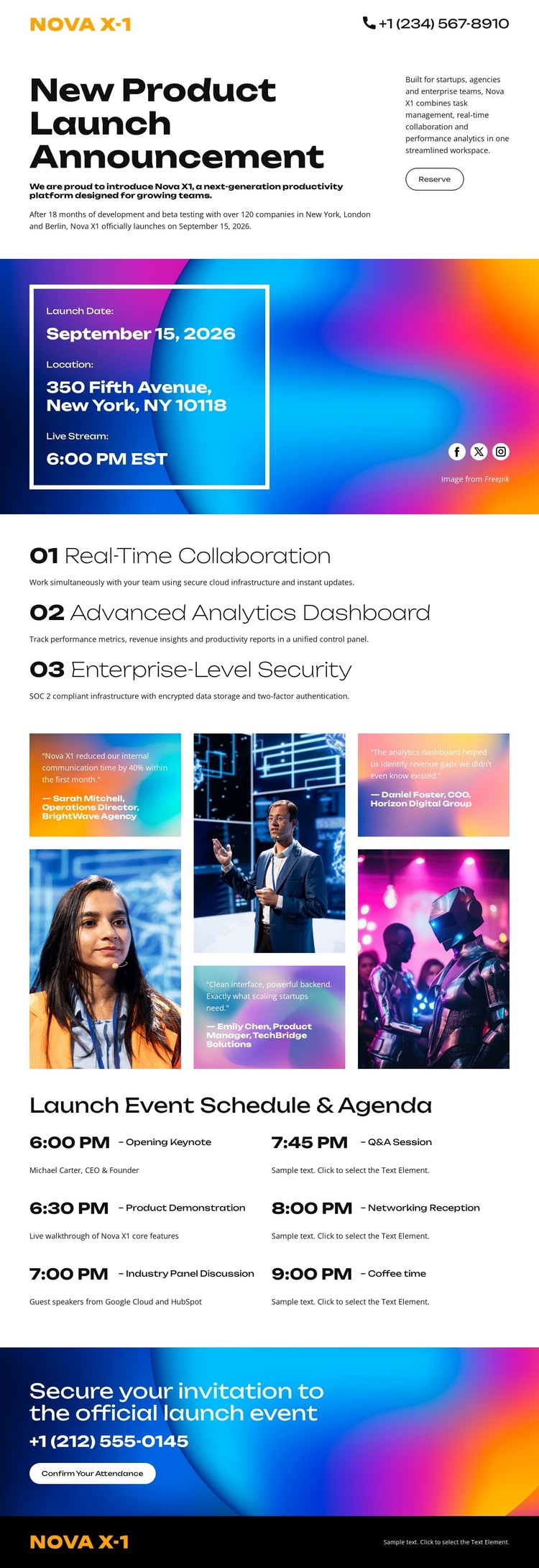
The launch information card and the two-column agenda divide the event into two useful content regions: a concise summary of when and where the launch is presented, followed by a more detailed program of eight timed entries. That separation gives structured event information a recognizable place in the page rather than mixing it into the introductory announcement.
The three named capabilities provide another repeatable content group. Real-time collaboration, an advanced analytics dashboard, and enterprise-level security can be treated as related product information while retaining the same visual sequence. The five-image technology and event collage adds a media-focused area between the capability content and the agenda. Together, these sections create a relationship between structured information, repeated product content, visual material, and navigation-oriented event context.
The opening announcement, closing attendance invitation, and dark brand footer establish shared regions around those content areas. In a Joomla project, this organization can support a CMS-managed launch presentation without claiming that Joomla Articles, modules, categories, or other CMS structures already exist in the template. The design’s Joomla relevance comes from how clearly it separates event facts, product information, imagery, schedule entries, and response content. Those boundaries make the page easier to adapt while preserving the coordinated gradient, black, white, and photographic visual direction.
Customize with Nicepage
Open this ready-made template in the Joomla Page Builder and customize it visually in the Nicepage editor. Replace demo content, edit page sections, and adapt the design to your project without rebuilding the template from scratch.
Work With This Template in Joomla
Customize and Install the Joomla Template
Start with this ready-made template instead of building the Joomla design from scratch. Customize its layout, content, typography, images, sections, and other design elements visually in the Nicepage application, then export and install the Joomla Template, Nicepage Extension, and supported content on your Joomla website.
Edit the Template Directly in Joomla
After installation, you can edit the Joomla Template directly in Joomla with the Nicepage Joomla Extension. Customize the Header, Footer, Colors, Fonts, typography, and Page Templates from the Joomla workflow while keeping the site design connected with your CMS content.
Edit Joomla Articles Visually
Use the Nicepage Joomla Extension to open and edit Joomla Articles visually from the Joomla Administrator. Change text, images, sections, layouts, and other page content in the Nicepage editor while continuing to manage the Articles through Joomla.
Joomla Content and Template Integration
Use the customized template together with Joomla Articles, module Positions, menus, forms, Blog Pages, and other supported CMS elements. With the Nicepage Extension used as the Site Style Source, shared design settings can be applied across Joomla Articles while Joomla continues to provide the CMS environment for managing site content.
This workflow combines a ready-made Joomla Template with visual customization, direct template editing in Joomla, and continued content management through the Nicepage Joomla Extension.