
10 Years of Style Joomla Template


Edit Template Offline
2. Create new page and search for id 6548896
Edit Template Online
Create Awesome Websites


Free Nicepage Builder
Keywords
The Anniversary Schedule and Visit Us Region Form Clear Joomla Content Areas
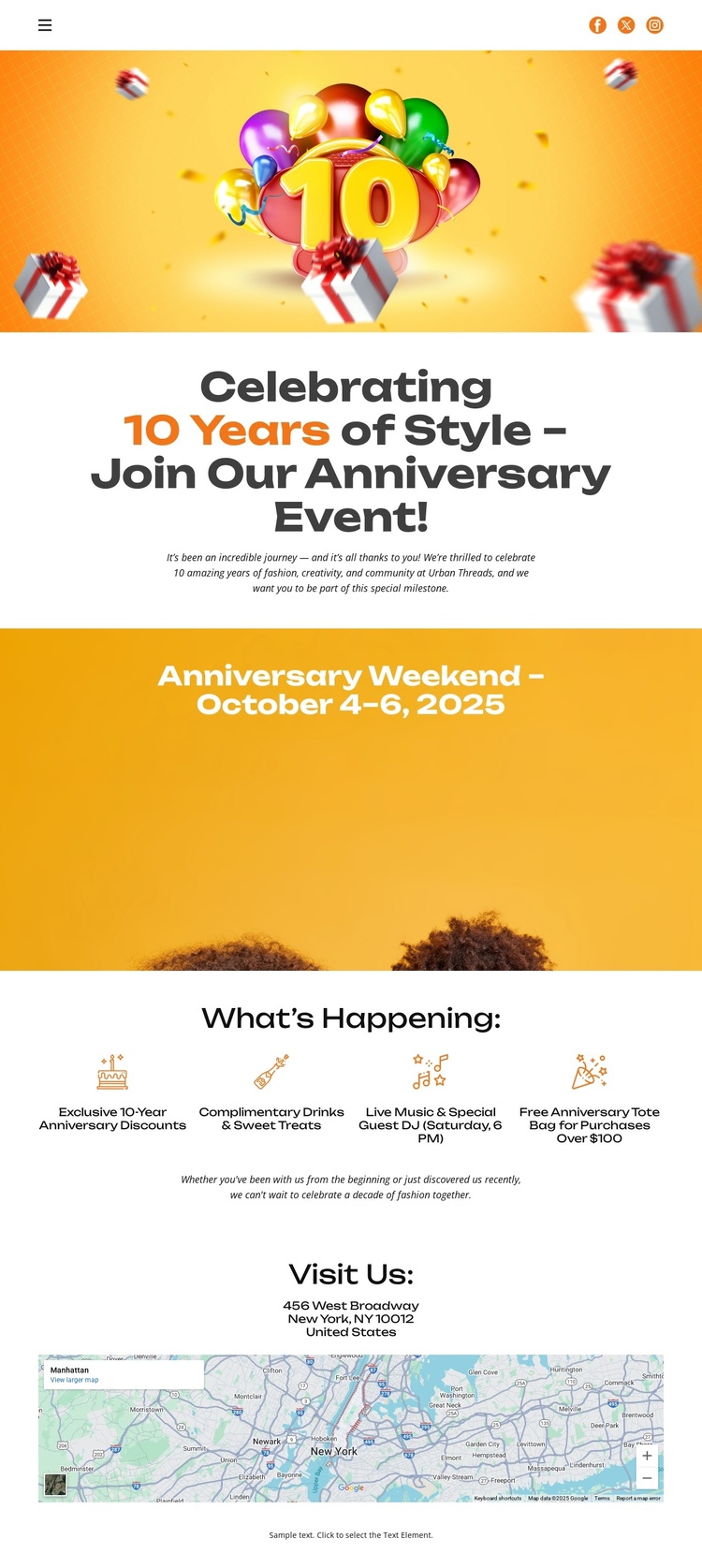
The page separates its anniversary information into practical content regions that can be understood independently. The opening Text On Image block introduces the 10-year celebration with balloon artwork, a centered heading, and invitation copy. Immediately afterward, the wide date banner gives the event weekend its own prominent information area, making the October 4–6, 2025 schedule easy to identify within the page.
The four-item What’s Happening section adds a second layer of structured information. Its compact peer descriptions cover the exclusive anniversary event, complimentary drinks and gourmet treats, live music and a special guest performance, and the tote-bag promotion. These are not presented as unrelated claims; they work together as recurring event details that can be kept visually coordinated while the content is maintained in a CMS-oriented site structure. The repeated format also gives the section a clear editorial boundary.
At the end, Visit Us connects the invitation to a physical destination through address text and a map image. That combination gives navigation and event content a practical destination without requiring the page to be treated as a general business website. In a Joomla project, the design therefore offers organized regions for announcement content, date information, activity details, and location guidance. Its bright palette and rounded display typography keep those regions recognizable as one anniversary event presentation.
Customize with Nicepage
Open this ready-made template in the Joomla Page Builder and customize it visually in the Nicepage editor. Replace demo content, edit page sections, and adapt the design to your project without rebuilding the template from scratch.
Work With This Template in Joomla
Customize and Install the Joomla Template
Start with this ready-made template instead of building the Joomla design from scratch. Customize its layout, content, typography, images, sections, and other design elements visually in the Nicepage application, then export and install the Joomla Template, Nicepage Extension, and supported content on your Joomla website.
Edit the Template Directly in Joomla
After installation, you can edit the Joomla Template directly in Joomla with the Nicepage Joomla Extension. Customize the Header, Footer, Colors, Fonts, typography, and Page Templates from the Joomla workflow while keeping the site design connected with your CMS content.
Edit Joomla Articles Visually
Use the Nicepage Joomla Extension to open and edit Joomla Articles visually from the Joomla Administrator. Change text, images, sections, layouts, and other page content in the Nicepage editor while continuing to manage the Articles through Joomla.
Joomla Content and Template Integration
Use the customized template together with Joomla Articles, module Positions, menus, forms, Blog Pages, and other supported CMS elements. With the Nicepage Extension used as the Site Style Source, shared design settings can be applied across Joomla Articles while Joomla continues to provide the CMS environment for managing site content.
This workflow combines a ready-made Joomla Template with visual customization, direct template editing in Joomla, and continued content management through the Nicepage Joomla Extension.
