Emphasizes fruits, vegetables, whole grains Joomla Template


The Four-Item Row Creates a Structured Nutrition Region
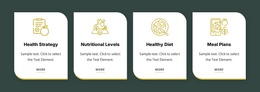
The heading “How to Eat Healthy” gives this section a clear informational focus, while the supporting paragraph frames nutrition as a series of small weekly steps. That message is followed by four structured content points: “Fruits & Veggies,” “Drink water,” “Healthy Snacks,” and “Manage Weight.” Each label is paired with a circular yellow icon, allowing the information to remain visually consistent while still separating the four practical areas.
The row sits beneath the centered introduction, and a large food-and-beverage image occupies the lower portion of the block. This ordering creates a straightforward content region: topic first, guidance categories second, visual reinforcement third. The soft light-blue background and pale lower fade help distinguish the section from adjacent content, while generous vertical spacing keeps the image from crowding the feature labels.
Within a Joomla-managed page, this arrangement can serve as a stable structured information area for nutrition guidance. The section can remain a reusable visual region while the wider project manages related editorial content around it. Its four labeled points are especially suitable for content that needs to be read as separate practical themes rather than as one uninterrupted paragraph. The result is a focused CMS page region with a clear internal order and a recognizable subject.
Customize with Nicepage
Open this ready-made template in the Joomla Page Builder and customize it visually in the Nicepage editor. Replace demo content, edit page sections, and adapt the design to your project without rebuilding the template from scratch.
Edit Template Offline
2. Create a new page or select existing
3. Click Add new block, search for id 64275 and click enter
Edit Template Online
Create Awesome Websites


Free Nicepage Builder
Keywords
Work With This Template in Joomla
Customize and Install the Joomla Template
Start with this ready-made template instead of building the Joomla design from scratch. Customize its layout, content, typography, images, sections, and other design elements visually in the Nicepage application, then export and install the Joomla Template, Nicepage Extension, and supported content on your Joomla website.
Edit the Template Directly in Joomla
After installation, you can edit the Joomla Template directly in Joomla with the Nicepage Joomla Extension. Customize the Header, Footer, Colors, Fonts, typography, and Page Templates from the Joomla workflow while keeping the site design connected with your CMS content.
Edit Joomla Articles Visually
Use the Nicepage Joomla Extension to open and edit Joomla Articles visually from the Joomla Administrator. Change text, images, sections, layouts, and other page content in the Nicepage editor while continuing to manage the Articles through Joomla.
Joomla Content and Template Integration
Use the customized template together with Joomla Articles, module Positions, menus, forms, Blog Pages, and other supported CMS elements. With the Nicepage Extension used as the Site Style Source, shared design settings can be applied across Joomla Articles while Joomla continues to provide the CMS environment for managing site content.
This workflow combines a ready-made Joomla Template with visual customization, direct template editing in Joomla, and continued content management through the Nicepage Joomla Extension.