24hr veterinary advice Joomla Template



Service Cards Create a Structured Veterinary Content Region
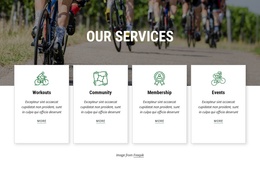
The block separates veterinary information into four recognizable content units under the “Our Services” heading and its supporting “The Finest In Veterinary Care” subtitle. Surgical services, pet microchipping, dental care, and grooming each receive a dedicated card with an icon, title, and description. The descriptions give the units different informational roles: surgery references spay, neuter, and dental procedures; microchipping addresses identification protection for lost pets; dental care focuses on checking teeth and gums; and grooming covers bathing, brushing, haircuts, nail trimming, and ear cleaning.
This organization is well suited to a Joomla-managed content region because the section presents related services as a coherent group rather than as unrelated promotional fragments. The two-by-two card arrangement makes the categories easy to distinguish, while the tall photograph of two adults with a dog supplies a visual companion to the written information. Joomla can provide the surrounding page and editorial environment, while this block retains its own service-focused layout and visual identity.
The pale blue background and dark blue typography establish the section’s overall field, and white cards with light blue circular icon backgrounds provide internal separation. That combination helps the four service summaries remain readable as a stable page section. The block can therefore participate in a Joomla-oriented veterinary page without being treated as the complete site or CMS template itself.
Customize with Nicepage
Open this ready-made template in the Joomla Page Builder and customize it visually in the Nicepage editor. Replace demo content, edit page sections, and adapt the design to your project without rebuilding the template from scratch.
Edit Template Offline
2. Create a new page or select existing
3. Click Add new block, search for id 62568 and click enter
Edit Template Online
Create Awesome Websites


Free Nicepage Builder
Keywords
Work With This Template in Joomla
Customize and Install the Joomla Template
Start with this ready-made template instead of building the Joomla design from scratch. Customize its layout, content, typography, images, sections, and other design elements visually in the Nicepage application, then export and install the Joomla Template, Nicepage Extension, and supported content on your Joomla website.
Edit the Template Directly in Joomla
After installation, you can edit the Joomla Template directly in Joomla with the Nicepage Joomla Extension. Customize the Header, Footer, Colors, Fonts, typography, and Page Templates from the Joomla workflow while keeping the site design connected with your CMS content.
Edit Joomla Articles Visually
Use the Nicepage Joomla Extension to open and edit Joomla Articles visually from the Joomla Administrator. Change text, images, sections, layouts, and other page content in the Nicepage editor while continuing to manage the Articles through Joomla.
Joomla Content and Template Integration
Use the customized template together with Joomla Articles, module Positions, menus, forms, Blog Pages, and other supported CMS elements. With the Nicepage Extension used as the Site Style Source, shared design settings can be applied across Joomla Articles while Joomla continues to provide the CMS environment for managing site content.
This workflow combines a ready-made Joomla Template with visual customization, direct template editing in Joomla, and continued content management through the Nicepage Joomla Extension.