Digital delivery platform Joomla Template


Quick Response and Quality Support Create a Structured Service Region
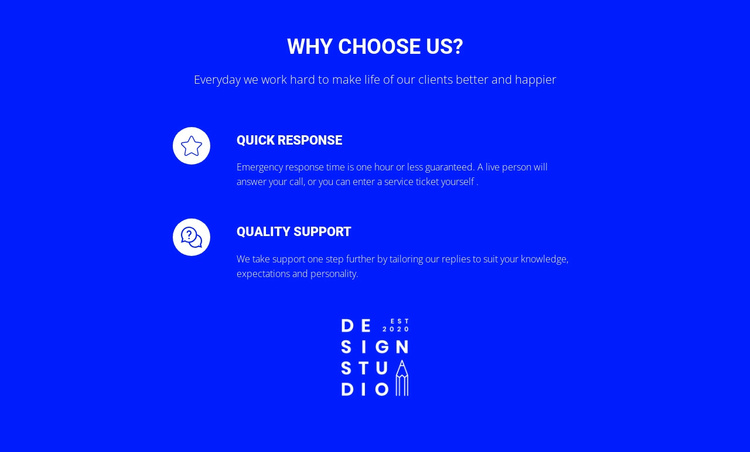
The block separates its support message into two understandable information units beneath the centered “Why choose us?” heading. The first unit, “Quick response,” groups an emergency response time of one hour or less with live phone answering and service-ticket entry. The second, “Quality Support,” presents a different service quality: replies can be tailored to the user’s knowledge, expectations, and personality. Together, the rows give a Joomla-managed page a compact region for explaining how support is delivered.
Each item follows the same relationship between content and presentation. A circular white icon marks the beginning of the row, then the title and description carry the detail on the right. The repeated structure keeps the two service statements distinct while making them feel like parts of one support category. The blue background, white text, and centered white logo reinforce that the rows belong to one branded section rather than unrelated article fragments.
Within a Joomla-oriented project, this block can participate as a reusable visual content area alongside broader site content. Its structured heading, paragraph, two service descriptions, and logo give editors a defined section to maintain while surrounding pages handle navigation and other information. The layout is therefore suited to presenting organized support content without implying that CMS-specific article or module structures are already inside the block.
Customize with Nicepage
Open this ready-made template in the Joomla Page Builder and customize it visually in the Nicepage editor. Replace demo content, edit page sections, and adapt the design to your project without rebuilding the template from scratch.
Edit Template Offline
2. Create a new page or select existing
3. Click Add new block, search for id 59921 and click enter
Edit Template Online
Create Awesome Websites


Free Nicepage Builder
Keywords
Work With This Template in Joomla
Customize and Install the Joomla Template
Start with this ready-made template instead of building the Joomla design from scratch. Customize its layout, content, typography, images, sections, and other design elements visually in the Nicepage application, then export and install the Joomla Template, Nicepage Extension, and supported content on your Joomla website.
Edit the Template Directly in Joomla
After installation, you can edit the Joomla Template directly in Joomla with the Nicepage Joomla Extension. Customize the Header, Footer, Colors, Fonts, typography, and Page Templates from the Joomla workflow while keeping the site design connected with your CMS content.
Edit Joomla Articles Visually
Use the Nicepage Joomla Extension to open and edit Joomla Articles visually from the Joomla Administrator. Change text, images, sections, layouts, and other page content in the Nicepage editor while continuing to manage the Articles through Joomla.
Joomla Content and Template Integration
Use the customized template together with Joomla Articles, module Positions, menus, forms, Blog Pages, and other supported CMS elements. With the Nicepage Extension used as the Site Style Source, shared design settings can be applied across Joomla Articles while Joomla continues to provide the CMS environment for managing site content.
This workflow combines a ready-made Joomla Template with visual customization, direct template editing in Joomla, and continued content management through the Nicepage Joomla Extension.