About pizzeria Napolitano Joomla Template


Product, Service, and Schedule Groups Create a Structured CMS Section
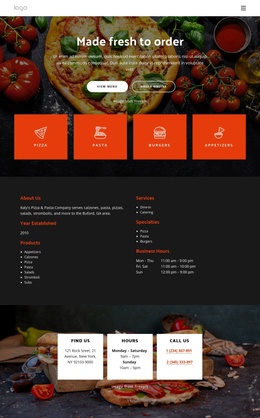
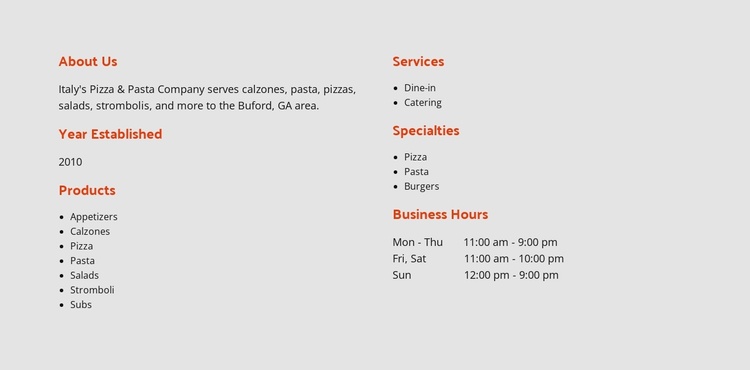
The restaurant information is divided into recognizable content groups that can work naturally as one Joomla-managed page section. The left column begins with the “About Us” overview and places the Buford, GA reference, established-year field, and product list together. Appetizers, calzones, pizza, pasta, salads, stromboli, and subs therefore read as one offering group. On the right, dine-in and catering form a service group, pizza, pasta, and burgers identify specialties, and the separate Business Hours area presents the weekly schedule.
This organization gives a Joomla-oriented project a stable visual region for structured restaurant information. The section can remain a reusable part of a broader page while related content, navigation, menu details, or contact information is handled elsewhere in the site. The two-column arrangement keeps the groups distinct without introducing tabs, accordions, or other interaction; visitors scan the headings and compact lists directly.
The visual treatment reinforces that organization. A light gray background contains the section as a unified area, orange-red headings mark each information category, and dark body text maintains contrast. Left alignment and generous spacing prevent the seven products from competing with the service, specialty, and hours groups. In this context, the block translates well as a clearly bounded Joomla content region while preserving its original restaurant-information purpose.
Customize with Nicepage
Open this ready-made template in the Joomla Page Builder and customize it visually in the Nicepage editor. Replace demo content, edit page sections, and adapt the design to your project without rebuilding the template from scratch.
Edit Template Offline
2. Create a new page or select existing
3. Click Add new block, search for id 4715981 and click enter
Edit Template Online
Create Awesome Websites


Free Nicepage Builder
Keywords
Work With This Template in Joomla
Customize and Install the Joomla Template
Start with this ready-made template instead of building the Joomla design from scratch. Customize its layout, content, typography, images, sections, and other design elements visually in the Nicepage application, then export and install the Joomla Template, Nicepage Extension, and supported content on your Joomla website.
Edit the Template Directly in Joomla
After installation, you can edit the Joomla Template directly in Joomla with the Nicepage Joomla Extension. Customize the Header, Footer, Colors, Fonts, typography, and Page Templates from the Joomla workflow while keeping the site design connected with your CMS content.
Edit Joomla Articles Visually
Use the Nicepage Joomla Extension to open and edit Joomla Articles visually from the Joomla Administrator. Change text, images, sections, layouts, and other page content in the Nicepage editor while continuing to manage the Articles through Joomla.
Joomla Content and Template Integration
Use the customized template together with Joomla Articles, module Positions, menus, forms, Blog Pages, and other supported CMS elements. With the Nicepage Extension used as the Site Style Source, shared design settings can be applied across Joomla Articles while Joomla continues to provide the CMS environment for managing site content.
This workflow combines a ready-made Joomla Template with visual customization, direct template editing in Joomla, and continued content management through the Nicepage Joomla Extension.