Exceptional dental care Joomla Template


Health Categories Create a Structured Joomla Content Region
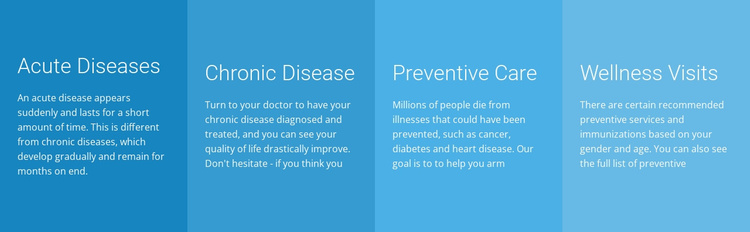
The headings Acute Diseases, Chronic Disease, Preventive Care, and Wellness Visits divide the block into four recognizable information units. Each unit pairs a category label with supporting paragraph text, creating a compact structure for health-related content that can remain visually consistent when used in a Joomla-managed page. The equal-width cards make the categories parallel rather than placing one topic above the others, which helps the section read as a coordinated set of care-information areas.
The visual treatment reinforces that structure. Each card uses a distinct blue or cyan background, while white text provides a shared contrast level across the row. Generous padding separates the prominent heading from the smaller paragraph, and the flat rectangular surfaces keep the focus on the category groupings instead of decorative effects. The interaction is static, so the block presents its information directly rather than depending on tabs, accordions, or a carousel. Since the supplied paragraphs are visibly truncated or incomplete, the content area is suitable for completing with finalized editorial material.
Within a Joomla-oriented project, this block can function as a stable health-information region in a broader article or page layout. The section’s clear category boundaries make it easier to coordinate with related content elsewhere, while the CMS environment can manage the surrounding pages and editorial material without changing the block’s four-card visual logic.
Customize with Nicepage
Open this ready-made template in the Joomla Page Builder and customize it visually in the Nicepage editor. Replace demo content, edit page sections, and adapt the design to your project without rebuilding the template from scratch.
Edit Template Offline
2. Create a new page or select existing
3. Click Add new block, search for id 43734 and click enter
Edit Template Online
Create Awesome Websites


Free Nicepage Builder
Keywords
Work With This Template in Joomla
Customize and Install the Joomla Template
Start with this ready-made template instead of building the Joomla design from scratch. Customize its layout, content, typography, images, sections, and other design elements visually in the Nicepage application, then export and install the Joomla Template, Nicepage Extension, and supported content on your Joomla website.
Edit the Template Directly in Joomla
After installation, you can edit the Joomla Template directly in Joomla with the Nicepage Joomla Extension. Customize the Header, Footer, Colors, Fonts, typography, and Page Templates from the Joomla workflow while keeping the site design connected with your CMS content.
Edit Joomla Articles Visually
Use the Nicepage Joomla Extension to open and edit Joomla Articles visually from the Joomla Administrator. Change text, images, sections, layouts, and other page content in the Nicepage editor while continuing to manage the Articles through Joomla.
Joomla Content and Template Integration
Use the customized template together with Joomla Articles, module Positions, menus, forms, Blog Pages, and other supported CMS elements. With the Nicepage Extension used as the Site Style Source, shared design settings can be applied across Joomla Articles while Joomla continues to provide the CMS environment for managing site content.
This workflow combines a ready-made Joomla Template with visual customization, direct template editing in Joomla, and continued content management through the Nicepage Joomla Extension.