Ideas brought to live art Joomla Template


Edit Template Offline
2. Create new page and search for id 38760
Edit Template Online
Create Awesome Websites


Free Nicepage Builder
Keywords
Eight Photography Categories Create Clear Joomla Content Regions
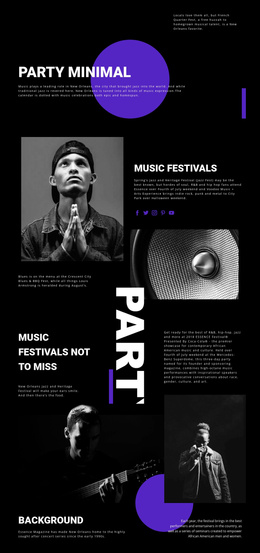
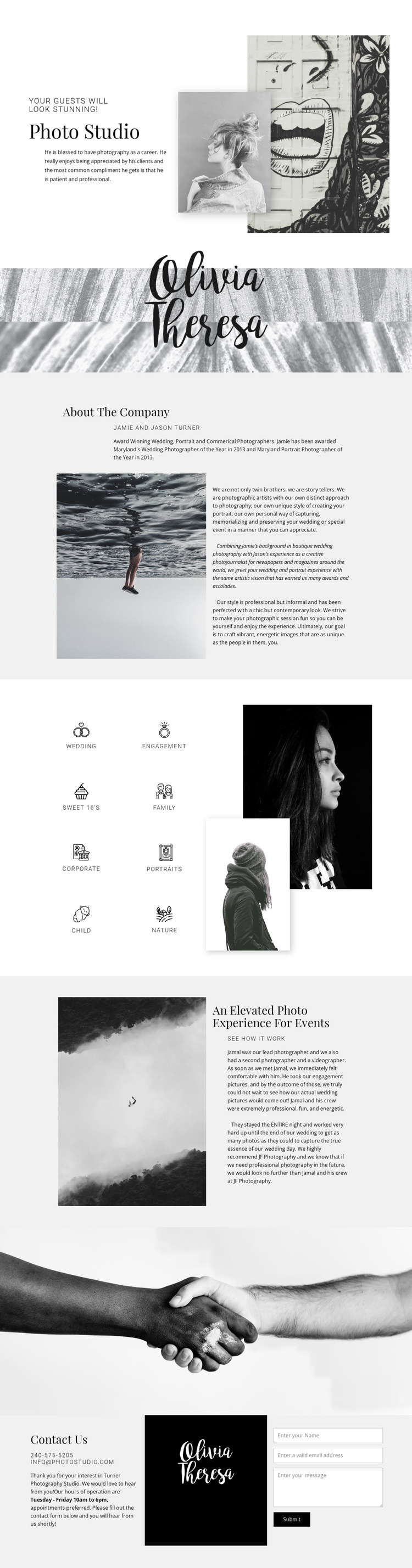
The repeated category group gives this design a useful content structure for a CMS-managed photography site. Wedding, engagement, Sweet 16’s, family, corporate, portraits, child, and nature photography are presented as eight labeled service areas beside layered portrait imagery. Each label can be treated as a distinct informational region when the studio replaces the sample wording with its own descriptions, while the shared visual treatment keeps the group coherent.
The surrounding sections provide additional site regions with different editorial roles. The opening Photo Studio block introduces the business through a split arrangement of text and overlapping photographs. The About The Company section then gives the studio’s background and artistic approach a dedicated image-and-text area. Farther down, the event experience section pairs a large atmospheric image with explanatory content, creating a structured place for event-related information rather than mixing it into the service list.
The final contact area is particularly suitable for organized site content because it brings together phone and email channels, Tuesday through Friday operating hours, brand imagery, and an inquiry form. In a Joomla project, these regions could be maintained as coordinated content areas while the navigation and shared page presentation continue to frame them consistently. The design therefore offers more than a visual portfolio: it divides photography services, company information, event context, and inquiries into recognizable regions that can support ongoing content management.
Customize with Nicepage
Open this ready-made template in the Joomla Page Builder and customize it visually in the Nicepage editor. Replace demo content, edit page sections, and adapt the design to your project without rebuilding the template from scratch.
Work With This Template in Joomla
Customize and Install the Joomla Template
Start with this ready-made template instead of building the Joomla design from scratch. Customize its layout, content, typography, images, sections, and other design elements visually in the Nicepage application, then export and install the Joomla Template, Nicepage Extension, and supported content on your Joomla website.
Edit the Template Directly in Joomla
After installation, you can edit the Joomla Template directly in Joomla with the Nicepage Joomla Extension. Customize the Header, Footer, Colors, Fonts, typography, and Page Templates from the Joomla workflow while keeping the site design connected with your CMS content.
Edit Joomla Articles Visually
Use the Nicepage Joomla Extension to open and edit Joomla Articles visually from the Joomla Administrator. Change text, images, sections, layouts, and other page content in the Nicepage editor while continuing to manage the Articles through Joomla.
Joomla Content and Template Integration
Use the customized template together with Joomla Articles, module Positions, menus, forms, Blog Pages, and other supported CMS elements. With the Nicepage Extension used as the Site Style Source, shared design settings can be applied across Joomla Articles while Joomla continues to provide the CMS environment for managing site content.
This workflow combines a ready-made Joomla Template with visual customization, direct template editing in Joomla, and continued content management through the Nicepage Joomla Extension.