Employee Opinions Joomla Template


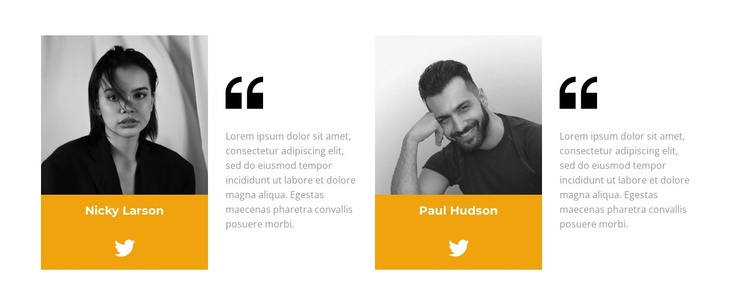
Portraits and Quotes Form Two Structured Joomla Content Units
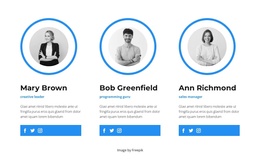
The two testimonial units divide the section into clearly bounded content groups. Each group pairs a portrait with a bright orange identity panel, then places the quotation and large quotation marks in the adjacent text area. This repeated relationship makes the content easy to read as two separate voices rather than one long testimonial passage. The alternating image-and-text rhythm also gives the four-column layout visual movement while preserving the same pattern from one unit to the next.
In a Joomla-managed project, this block can provide a stable testimonial region within a page whose wider content is maintained through the CMS. The names and quotation copy function as editable testimonial material, while the Twitter links add an external profile destination to each unit. The white background and restrained gray text leave the orange identity panels as the main visual markers, helping visitors distinguish one testimonial from the other. Because the block has no heading, it can follow an introductory section that establishes the purpose of the customer feedback before this content area appears. Related Joomla-managed information can surround the section, but the block itself remains a focused testimonial layout rather than a complete CMS template or site.
Customize with Nicepage
Open this ready-made template in the Joomla Page Builder and customize it visually in the Nicepage editor. Replace demo content, edit page sections, and adapt the design to your project without rebuilding the template from scratch.
Edit Template Offline
2. Create a new page or select existing
3. Click Add new block, search for id 3048372 and click enter
Edit Template Online
Create Awesome Websites


Free Nicepage Builder
Keywords
Work With This Template in Joomla
Customize and Install the Joomla Template
Start with this ready-made template instead of building the Joomla design from scratch. Customize its layout, content, typography, images, sections, and other design elements visually in the Nicepage application, then export and install the Joomla Template, Nicepage Extension, and supported content on your Joomla website.
Edit the Template Directly in Joomla
After installation, you can edit the Joomla Template directly in Joomla with the Nicepage Joomla Extension. Customize the Header, Footer, Colors, Fonts, typography, and Page Templates from the Joomla workflow while keeping the site design connected with your CMS content.
Edit Joomla Articles Visually
Use the Nicepage Joomla Extension to open and edit Joomla Articles visually from the Joomla Administrator. Change text, images, sections, layouts, and other page content in the Nicepage editor while continuing to manage the Articles through Joomla.
Joomla Content and Template Integration
Use the customized template together with Joomla Articles, module Positions, menus, forms, Blog Pages, and other supported CMS elements. With the Nicepage Extension used as the Site Style Source, shared design settings can be applied across Joomla Articles while Joomla continues to provide the CMS environment for managing site content.
This workflow combines a ready-made Joomla Template with visual customization, direct template editing in Joomla, and continued content management through the Nicepage Joomla Extension.