Learn about healthy eating Joomla Template


Four nutrition topics form a structured Joomla content region
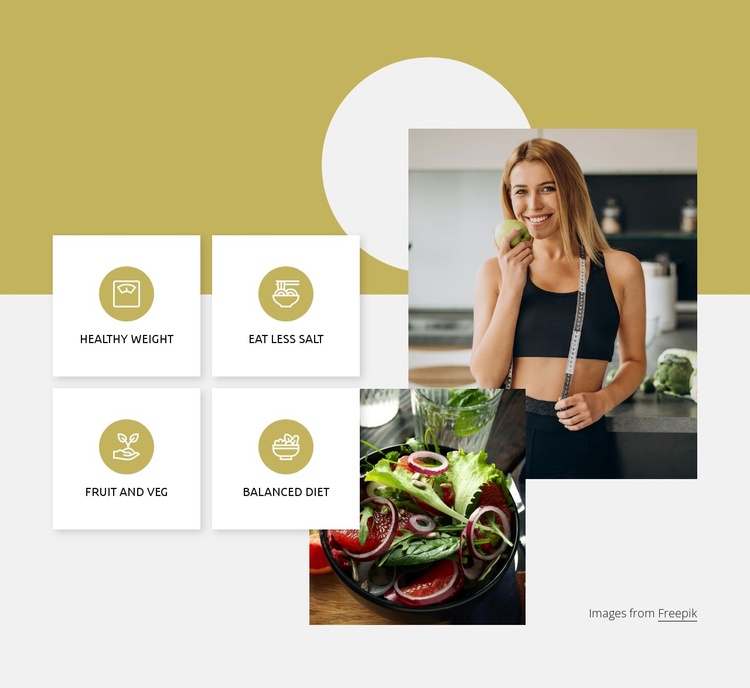
The four labeled cards divide the section into distinct nutrition topics: Healthy Weight, Eat Less Salt, Fruit and Veg, and Balanced Diet. Their two-by-two arrangement gives each topic an equal visual position, so the content can be read as a compact group of related guidance rather than as one continuous paragraph. Circular icons reinforce the repeated card pattern and help distinguish the labels without introducing a separate interaction; the section remains static.
The overlapping imagery adds a second content layer to the card grid. One image shows a person with a measuring tape, while the other shows a bowl of salad, connecting the written themes with recognizable lifestyle and food references. A large pale circular shape behind the upper image gives that side a defined visual region, while the muted mustard and light gray areas keep the cards visually separated from the images.
Within a Joomla-managed page, this arrangement can serve as a reusable structured information area for nutrition or healthy eating content. The labels can remain recognizable content units in the page composition, while adjacent Joomla-managed material provides broader explanations, related sections, or editorial context. The block therefore works particularly well where four concise themes need to be presented beside supporting imagery.
Customize with Nicepage
Open this ready-made template in the Joomla Page Builder and customize it visually in the Nicepage editor. Replace demo content, edit page sections, and adapt the design to your project without rebuilding the template from scratch.
Edit Template Offline
2. Create a new page or select existing
3. Click Add new block, search for id 2318815 and click enter
Edit Template Online
Create Awesome Websites


Free Nicepage Builder
Keywords
Work With This Template in Joomla
Customize and Install the Joomla Template
Start with this ready-made template instead of building the Joomla design from scratch. Customize its layout, content, typography, images, sections, and other design elements visually in the Nicepage application, then export and install the Joomla Template, Nicepage Extension, and supported content on your Joomla website.
Edit the Template Directly in Joomla
After installation, you can edit the Joomla Template directly in Joomla with the Nicepage Joomla Extension. Customize the Header, Footer, Colors, Fonts, typography, and Page Templates from the Joomla workflow while keeping the site design connected with your CMS content.
Edit Joomla Articles Visually
Use the Nicepage Joomla Extension to open and edit Joomla Articles visually from the Joomla Administrator. Change text, images, sections, layouts, and other page content in the Nicepage editor while continuing to manage the Articles through Joomla.
Joomla Content and Template Integration
Use the customized template together with Joomla Articles, module Positions, menus, forms, Blog Pages, and other supported CMS elements. With the Nicepage Extension used as the Site Style Source, shared design settings can be applied across Joomla Articles while Joomla continues to provide the CMS environment for managing site content.
This workflow combines a ready-made Joomla Template with visual customization, direct template editing in Joomla, and continued content management through the Nicepage Joomla Extension.