Creative Photography Joomla Template


Edit Template Offline
2. Create new page and search for id 18348
Edit Template Online
Create Awesome Websites


Free Nicepage Builder
Keywords
Photography Features Form Structured CMS Content Regions
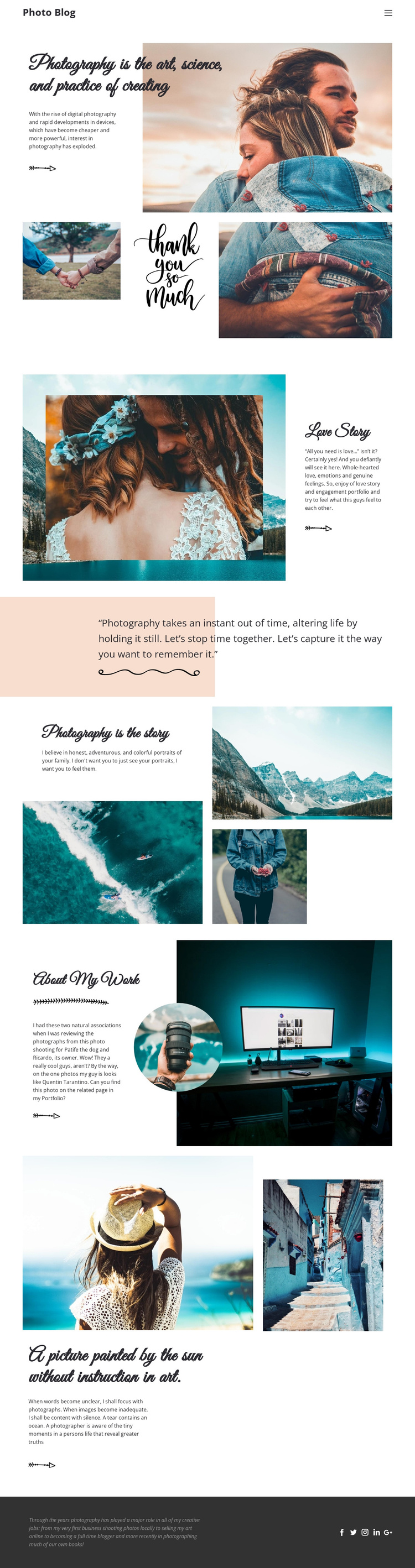
The navigation, Love Story feature, About My Work section, and recurring image areas divide this design into recognizable content regions. The opening statement can introduce the photography subject, while the Love Story feature gives a specific portfolio theme its own combination of image and supporting text. The three-image collage and the larger collage around Photography is the story provide separate visual content areas rather than one undifferentiated media block.
The About My Work section has a different editorial role. Its narrative panel, large desk photograph, and circular inset portrait can represent the photographer’s background or working perspective, while the closing reflection provides a final contextual passage before the footer. The footer itself contains descriptive photography text and links for Facebook, Twitter, Instagram, LinkedIn, and Google, making it a shared site region that can remain visually coordinated with the page content.
These distinctions are useful when adapting the design to a Joomla-managed site because recurring informational material can be organized into clear content areas rather than treated as one long text field. Navigation can connect the major sections, image-led features can support portfolio content, and the shared footer can carry social destinations consistently. The Joomla environment can manage the changing content while the design continues to preserve its sequence of introduction, visual stories, personal work, reflection, and social presence.
Customize with Nicepage
Open this ready-made template in the Joomla Page Builder and customize it visually in the Nicepage editor. Replace demo content, edit page sections, and adapt the design to your project without rebuilding the template from scratch.
Work With This Template in Joomla
Customize and Install the Joomla Template
Start with this ready-made template instead of building the Joomla design from scratch. Customize its layout, content, typography, images, sections, and other design elements visually in the Nicepage application, then export and install the Joomla Template, Nicepage Extension, and supported content on your Joomla website.
Edit the Template Directly in Joomla
After installation, you can edit the Joomla Template directly in Joomla with the Nicepage Joomla Extension. Customize the Header, Footer, Colors, Fonts, typography, and Page Templates from the Joomla workflow while keeping the site design connected with your CMS content.
Edit Joomla Articles Visually
Use the Nicepage Joomla Extension to open and edit Joomla Articles visually from the Joomla Administrator. Change text, images, sections, layouts, and other page content in the Nicepage editor while continuing to manage the Articles through Joomla.
Joomla Content and Template Integration
Use the customized template together with Joomla Articles, module Positions, menus, forms, Blog Pages, and other supported CMS elements. With the Nicepage Extension used as the Site Style Source, shared design settings can be applied across Joomla Articles while Joomla continues to provide the CMS environment for managing site content.
This workflow combines a ready-made Joomla Template with visual customization, direct template editing in Joomla, and continued content management through the Nicepage Joomla Extension.