How to learn tech skills Joomla Template


Teaching Methods and Online Learning Create a Structured Joomla Content Area
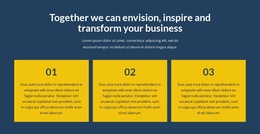
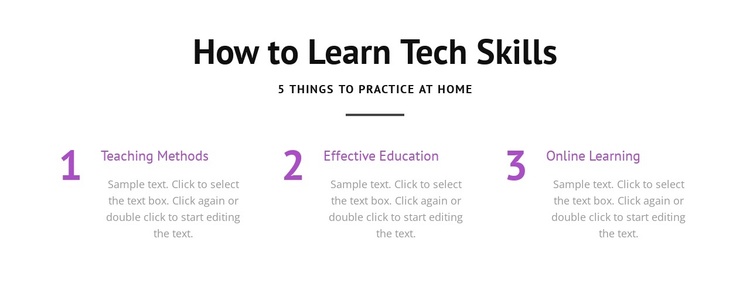
The three labeled topics give this section a natural role as structured informational content in a Joomla-managed page. Teaching Methods, Effective Education, and Online Learning are presented as parallel units rather than as unrelated paragraphs, so an editor can preserve the same visual relationship while maintaining the wider site’s articles and content areas. Each unit includes a numbered marker, a label, and descriptive text, making the block suitable for a concise instructional or features-style section.
The centered heading and supporting line provide the editorial context before visitors scan the three topics. The phrase “5 Things to Practice at Home” suggests a learning sequence, while the visible block itself presents three of those numbered topic positions without requiring an invented fourth or fifth item. Purple numerals and labels create a consistent accent for the repeated content, whereas the white background and black type keep the information neutral and legible. In a Joomla-oriented project, this block can remain a stable page section while related educational material is managed elsewhere in the broader CMS environment. The static presentation is important: all three topics are visible together, with no assumed article tabs, module controls, or dynamic behavior inside the section. A related Joomla workflow can support the surrounding CMS project when the wider page is prepared.
Customize with Nicepage
Open this ready-made template in the Joomla Page Builder and customize it visually in the Nicepage editor. Replace demo content, edit page sections, and adapt the design to your project without rebuilding the template from scratch.
Edit Template Offline
2. Create a new page or select existing
3. Click Add new block, search for id 1674394 and click enter
Edit Template Online
Create Awesome Websites


Free Nicepage Builder
Keywords
Work With This Template in Joomla
Customize and Install the Joomla Template
Start with this ready-made template instead of building the Joomla design from scratch. Customize its layout, content, typography, images, sections, and other design elements visually in the Nicepage application, then export and install the Joomla Template, Nicepage Extension, and supported content on your Joomla website.
Edit the Template Directly in Joomla
After installation, you can edit the Joomla Template directly in Joomla with the Nicepage Joomla Extension. Customize the Header, Footer, Colors, Fonts, typography, and Page Templates from the Joomla workflow while keeping the site design connected with your CMS content.
Edit Joomla Articles Visually
Use the Nicepage Joomla Extension to open and edit Joomla Articles visually from the Joomla Administrator. Change text, images, sections, layouts, and other page content in the Nicepage editor while continuing to manage the Articles through Joomla.
Joomla Content and Template Integration
Use the customized template together with Joomla Articles, module Positions, menus, forms, Blog Pages, and other supported CMS elements. With the Nicepage Extension used as the Site Style Source, shared design settings can be applied across Joomla Articles while Joomla continues to provide the CMS environment for managing site content.
This workflow combines a ready-made Joomla Template with visual customization, direct template editing in Joomla, and continued content management through the Nicepage Joomla Extension.