
Login form Joomla Template


Structured Account Content Fits a Joomla Page Region
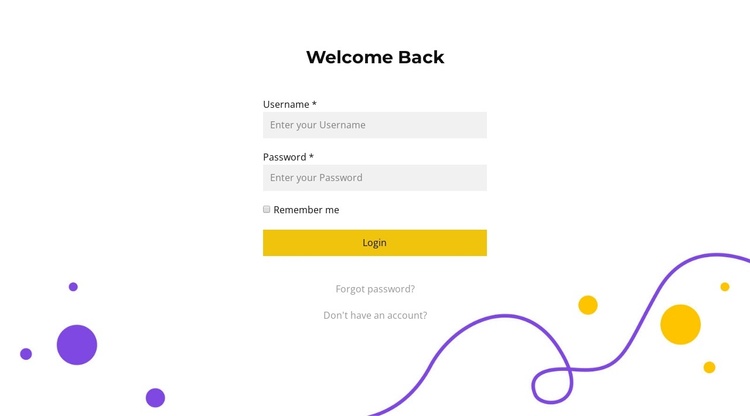
The “Welcome Back” heading and vertically stacked credential fields form a clearly bounded account-access area. The username and password inputs carry the main data-entry purpose, while Remember me provides a secondary option before the yellow Login action. Beneath the form, Forgot password? and the registration link create a related support group for users who need recovery or a new account. Together, these relationships make the block suitable for a stable login region within a Joomla-managed page.
A Joomla-oriented interpretation focuses on the section as structured visual content rather than treating it as a complete CMS template. The block can remain a recognizable account-access area while the wider project handles its surrounding pages and editorial content through Joomla. Its centered single-column layout keeps the login controls easy to identify, and the white panel separates them from the purple and yellow curved decoration placed along the lower and right edges. Because the decoration is visual framing, it does not compete with the form’s content role. The section can therefore be coordinated with other CMS-managed content while preserving its own heading, credential sequence, account options, and supporting links. Any authentication behavior beyond the visible form belongs to the surrounding Joomla implementation.
Customize with Nicepage
Open this ready-made template in the Joomla Page Builder and customize it visually in the Nicepage editor. Replace demo content, edit page sections, and adapt the design to your project without rebuilding the template from scratch.
Edit Template Offline
2. Create a new page or select existing
3. Click Add new block, search for id 1443153 and click enter
Edit Template Online
Create Awesome Websites


Free Nicepage Builder
Keywords
Work With This Template in Joomla
Customize and Install the Joomla Template
Start with this ready-made template instead of building the Joomla design from scratch. Customize its layout, content, typography, images, sections, and other design elements visually in the Nicepage application, then export and install the Joomla Template, Nicepage Extension, and supported content on your Joomla website.
Edit the Template Directly in Joomla
After installation, you can edit the Joomla Template directly in Joomla with the Nicepage Joomla Extension. Customize the Header, Footer, Colors, Fonts, typography, and Page Templates from the Joomla workflow while keeping the site design connected with your CMS content.
Edit Joomla Articles Visually
Use the Nicepage Joomla Extension to open and edit Joomla Articles visually from the Joomla Administrator. Change text, images, sections, layouts, and other page content in the Nicepage editor while continuing to manage the Articles through Joomla.
Joomla Content and Template Integration
Use the customized template together with Joomla Articles, module Positions, menus, forms, Blog Pages, and other supported CMS elements. With the Nicepage Extension used as the Site Style Source, shared design settings can be applied across Joomla Articles while Joomla continues to provide the CMS environment for managing site content.
This workflow combines a ready-made Joomla Template with visual customization, direct template editing in Joomla, and continued content management through the Nicepage Joomla Extension.
