Empowering homes HTML Template


A Five-Point Smart Home Section Ready for Static HTML Use
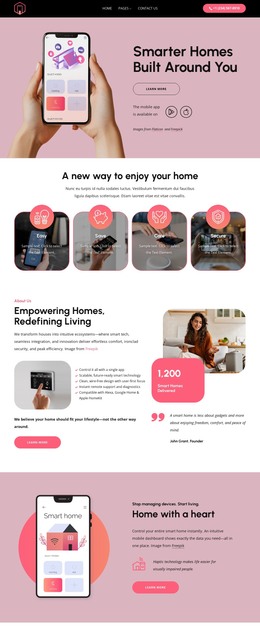
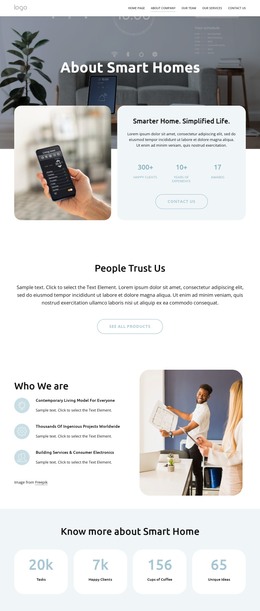
The heading “Empowering Homes, Redefining Living” and the supporting paragraphs establish a complete introductory message for this particular About section. Beneath that introduction, five feature statements explain the smart home proposition through single-app control, scalable and future-ready technology, clean wire-free design, remote support, and compatibility with Alexa, Google Home, and Apple HomeKit. The result is a self-contained content area rather than a loose collection of unrelated elements.
The two-column arrangement also gives the section a clear visual rhythm. Text and benefits occupy the left side, with a supporting smart home image and Learn More button, while the right side combines another rounded image with a pink metric badge and a founder quote. The displayed “1,200 Smart Homes Delivered” figure functions as a visible proof point within the composition, and the John Grant attribution adds a personal perspective. Placed inside a static HTML page, this ready-made block can carry the About message while neighboring sections provide navigation, additional service detail, or contact content. Its rounded imagery, black typography, white background, and bright pink accents remain part of the section’s prepared visual arrangement.
Customize with Nicepage
Open this ready-made template in the HTML Builder and customize it visually in the Nicepage editor. Replace demo content, edit page sections, and adapt the design to your project without rebuilding the template from scratch.
Edit Template Offline
2. Create a new page or select existing
3. Click Add new block, search for id 6541935 and click enter
Edit Template Online
Create Awesome Websites


Free Nicepage Builder
Keywords
Use This Block in a Static HTML Page
Start With a Ready-Made Section
A block provides one prepared content area that can be combined with other sections to build a static HTML page. Customize its text, images, spacing, colors, and other elements in the Nicepage editor while keeping the block focused on its own purpose, such as services, testimonials, pricing, contact information, or visual presentation.
Export the Containing HTML Project
When the page or website that contains the block is ready, use HTML Export to create the files required for a static HTML project. The export applies to the containing page/site rather than turning one individual block into a complete website by itself.
Reuse the Section Within the Project
The same block design can be adapted as one content section within a larger static site. Other Blocks can provide navigation, introductions, portfolios, forms, footers, and additional page content while this section keeps its own verified content and layout role.
This workflow makes the block useful as a ready-made section inside a static HTML implementation, with export and deployment handled at the page or website level.