The hosting blog HTML Template


Edit Template Offline
2. Create new page and search for id 6515685
Edit Template Online
Create Awesome Websites


Free Nicepage Builder
Keywords
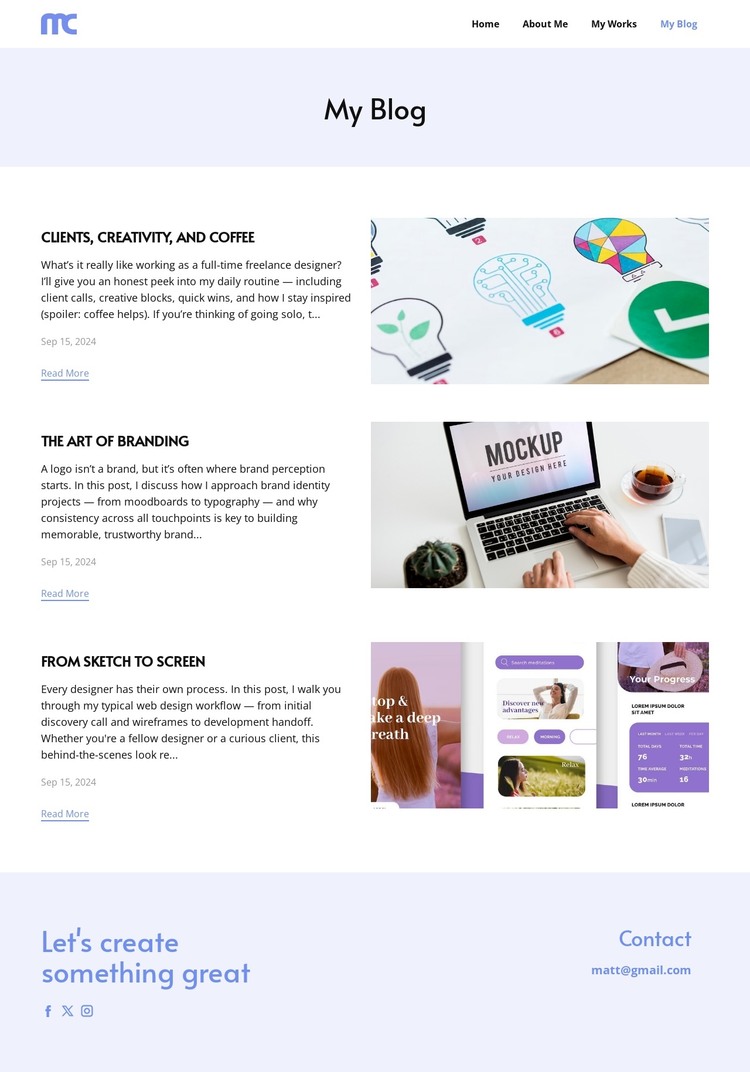
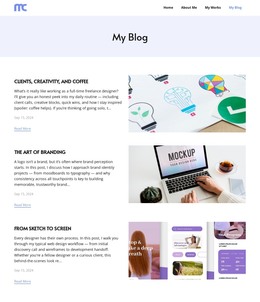
Three Complete Editorial Entries Form a Standalone Blog Page
The page already has the major pieces expected in a self-contained static blog implementation. Its compact navigation identifies the page within a personal site, the lavender title band establishes the current destination, and the central listing supplies three complete editorial content units. Each unit pairs written information with an image and a Read More link, so the page is more than a visual title screen or an unfinished collection of cards. The subjects—freelance work, branding, and the movement from sketch to screen—also create a coherent editorial direction.
The footer completes the page from a practical content perspective. The closing message provides a final personal statement, the Facebook, Twitter, and Instagram links extend the social presence, and the email contact offers a direct communication channel. Together, these regions create a finished static arrangement that can stand as a blog page while remaining connected to the other destinations named in the header. The design is especially suitable when a project needs a focused article listing with supporting imagery and a clear route from reading content to social or email contact, without requiring the page itself to claim additional verified site sections.
Customize with Nicepage
Open this ready-made template in the HTML Builder and customize it visually in the Nicepage editor. Replace demo content, edit page sections, and adapt the design to your project without rebuilding the template from scratch.
Export and Use This Template as an HTML Website
Create a Portable HTML Website
When the template is ready, use the HTML Export option to create a static website with the files required for deployment. The exported website can be used independently of the Nicepage editor and deployed on your preferred hosting.
Nicepage also provides SEO settings and optimization features, including Page Titles and Descriptions, Canonical settings, headings, image Alt Text, and other page-level properties that help prepare the website for search engines.
Deploy Without a CMS
Upload the finished website to the hosting environment that fits your project. Because the exported site does not require WordPress, Joomla, or another CMS to deliver its pages, it can be placed on your own server, uploaded to a hosting provider, or deployed through an existing web infrastructure.
Hand Off the Website Files
The generated website files can also be provided to a client, developer, or hosting team. They remain available outside the Nicepage editor for deployment, technical review, or project-specific development when additional work is required.
This workflow makes the template a practical foundation for a portable static website that can be exported from the Nicepage editor and deployed independently.

Design Set (14)
-

-
-
-
-
Free Website Builder SoftwareDownload
-
-
-
-





More from Art & Design HTML Templates
-
Free Website Builder SoftwareDownload