Investment consulting group HTML Template



Edit Template Offline
2. Create new page and search for id 6464346
Edit Template Online
Create Awesome Websites


Free Nicepage Builder
Keywords
Service Coverage and Consultation Content Form a Complete Static Page
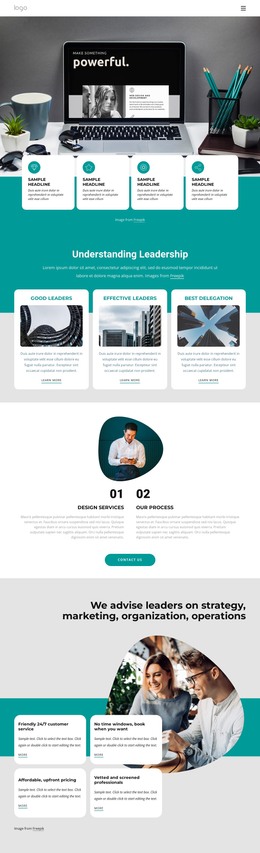
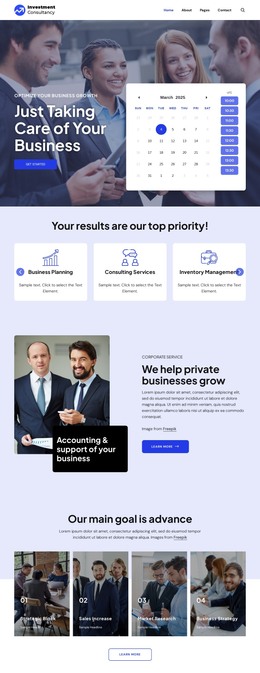
The page already brings together the main content groups expected in a self-contained consulting presentation. The hero establishes the Investment Consultancy identity and places a business-care message beside a Get Started action and appointment calendar. Visitors can then move into three clearly labeled service cards for Business Planning, Consulting Services, and Inventory Management before reaching the accounting and business-growth section.
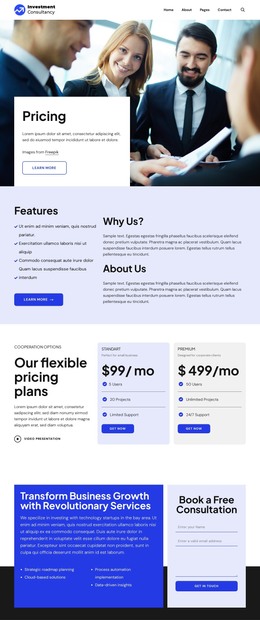
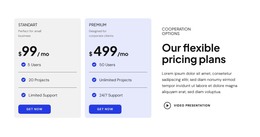
The middle of the page adds supporting proof and commercial context rather than leaving the introduction isolated. Four focus-area tiles reference Business Planning, Sales Increase, Market Research, and Business Strategy. A testimonial section, four unlabeled counters, and two pricing cards extend the explanation, while the Standard and Premium labels show how the sample layout can present differentiated consulting options. The displayed dollar values are demo content and should be replaced with verified project information.
A growth feature, team list, and black footer continue the page toward a clear close. The final white-card area combines service messaging with a Book a Free Consultation form, giving the static implementation a defined response section instead of ending with only informational copy. As an HTML template, this arrangement is useful because its navigation, content coverage, visual proof, pricing context, contact interaction, and footer are already connected into one finished page rather than represented as isolated design fragments.
Customize with Nicepage
Open this ready-made template in the HTML Builder and customize it visually in the Nicepage editor. Replace demo content, edit page sections, and adapt the design to your project without rebuilding the template from scratch.
Export and Use This Template as an HTML Website
Create a Portable HTML Website
When the template is ready, use the HTML Export option to create a static website with the files required for deployment. The exported website can be used independently of the Nicepage editor and deployed on your preferred hosting.
Nicepage also provides SEO settings and optimization features, including Page Titles and Descriptions, Canonical settings, headings, image Alt Text, and other page-level properties that help prepare the website for search engines.
Deploy Without a CMS
Upload the finished website to the hosting environment that fits your project. Because the exported site does not require WordPress, Joomla, or another CMS to deliver its pages, it can be placed on your own server, uploaded to a hosting provider, or deployed through an existing web infrastructure.
Hand Off the Website Files
The generated website files can also be provided to a client, developer, or hosting team. They remain available outside the Nicepage editor for deployment, technical review, or project-specific development when additional work is required.
This workflow makes the template a practical foundation for a portable static website that can be exported from the Nicepage editor and deployed independently.

Design Set (20)
-
Free Website Builder SoftwareDownload
-

-
-
-
-
-
-
-
-
-














More from Business & Law HTML Templates
-
Free Website Builder SoftwareDownload