Language courses benefits HTML Template


Three Feature Cards Form a Ready-Made Learning Section
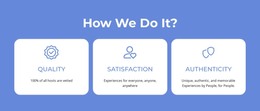
The three equal cards already organize the section around a clear features message for a static HTML page. The first card foregrounds the statement that live online classes are available 24/7, the second focuses on practicing with online activities and materials, and the third addresses enhancing the learning experience. Together, these titles create a compact progression from access, to practice resources, to the broader value of learning. The repeated card structure keeps each idea visually comparable without requiring a long text sequence.
Each card uses the same internal arrangement: a circular icon above a bold title, followed by supporting copy. The dark charcoal background gives the row a unified field, while thin gray borders distinguish the three content areas. Coral and teal icons provide alternating accents without breaking the repeated pattern, and the left-aligned white and light text preserves a consistent reading direction. The section can therefore be placed inside a static HTML page as a finished learning-features area, while surrounding sections supply navigation, introductions, course detail, or contact content. Its static use concerns the containing page; the block remains one reusable section with its own focused content role.
Customize with Nicepage
Open this ready-made template in the HTML Builder and customize it visually in the Nicepage editor. Replace demo content, edit page sections, and adapt the design to your project without rebuilding the template from scratch.
Edit Template Offline
2. Create a new page or select existing
3. Click Add new block, search for id 6413547 and click enter
Edit Template Online
Create Awesome Websites


Free Nicepage Builder
Keywords
Use This Block in a Static HTML Page
Start With a Ready-Made Section
A block provides one prepared content area that can be combined with other sections to build a static HTML page. Customize its text, images, spacing, colors, and other elements in the Nicepage editor while keeping the block focused on its own purpose, such as services, testimonials, pricing, contact information, or visual presentation.
Export the Containing HTML Project
When the page or website that contains the block is ready, use HTML Export to create the files required for a static HTML project. The export applies to the containing page/site rather than turning one individual block into a complete website by itself.
Reuse the Section Within the Project
The same block design can be adapted as one content section within a larger static site. Other Blocks can provide navigation, introductions, portfolios, forms, footers, and additional page content while this section keeps its own verified content and layout role.
This workflow makes the block useful as a ready-made section inside a static HTML implementation, with export and deployment handled at the page or website level.