Up to 70% sale HTML Template


A Finished Black Friday Section for Static HTML Placement
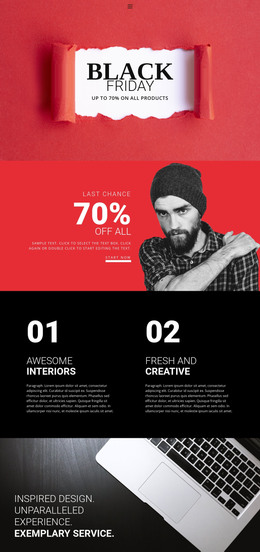
The block already combines the principal parts of one finished promotional section: a “Black Friday” heading, a supporting statement about product discounts, a dark textured background, a large light paint-stroke area, and sale imagery with a red shopping-cart badge. These elements work together as one horizontal banner rather than as unrelated decorative pieces. The image treatment supplies seasonal retail context on the left, while the stacked text on the right gives the promotion a readable focal point.
Placed inside a static HTML page, this section can communicate a sale at a chosen point in the surrounding content flow. Its self-contained arrangement does not need additional internal content to establish the banner’s purpose, although the containing page can provide navigation, product detail, or a separate response element elsewhere. The wide format makes the block suitable for a prominent promotional position while preserving a clear division between visual decoration and the discount message. The displayed discount wording functions as the block’s promotional content; it should be adapted to the final campaign before publication. The result is a prepared static section, not a complete HTML page or website.
Customize with Nicepage
Open this ready-made template in the HTML Builder and customize it visually in the Nicepage editor. Replace demo content, edit page sections, and adapt the design to your project without rebuilding the template from scratch.
Edit Template Offline
2. Create a new page or select existing
3. Click Add new block, search for id 52744 and click enter
Edit Template Online
Create Awesome Websites


Free Nicepage Builder
Keywords
Use This Block in a Static HTML Page
Start With a Ready-Made Section
A block provides one prepared content area that can be combined with other sections to build a static HTML page. Customize its text, images, spacing, colors, and other elements in the Nicepage editor while keeping the block focused on its own purpose, such as services, testimonials, pricing, contact information, or visual presentation.
Export the Containing HTML Project
When the page or website that contains the block is ready, use HTML Export to create the files required for a static HTML project. The export applies to the containing page/site rather than turning one individual block into a complete website by itself.
Reuse the Section Within the Project
The same block design can be adapted as one content section within a larger static site. Other Blocks can provide navigation, introductions, portfolios, forms, footers, and additional page content while this section keeps its own verified content and layout role.
This workflow makes the block useful as a ready-made section inside a static HTML implementation, with export and deployment handled at the page or website level.