Reebok HTML Template


Edit Template Offline
2. Create new page and search for id 18116
Edit Template Online
Create Awesome Websites


Free Nicepage Builder
Keywords
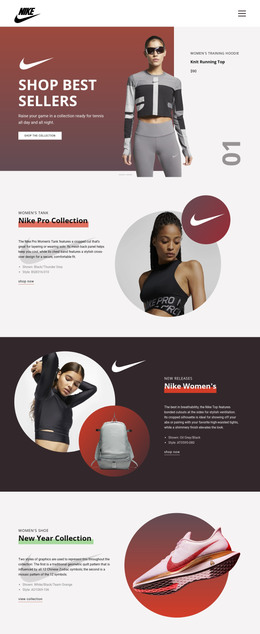
A Finished Shopping Page From Opening Image to Category Browse
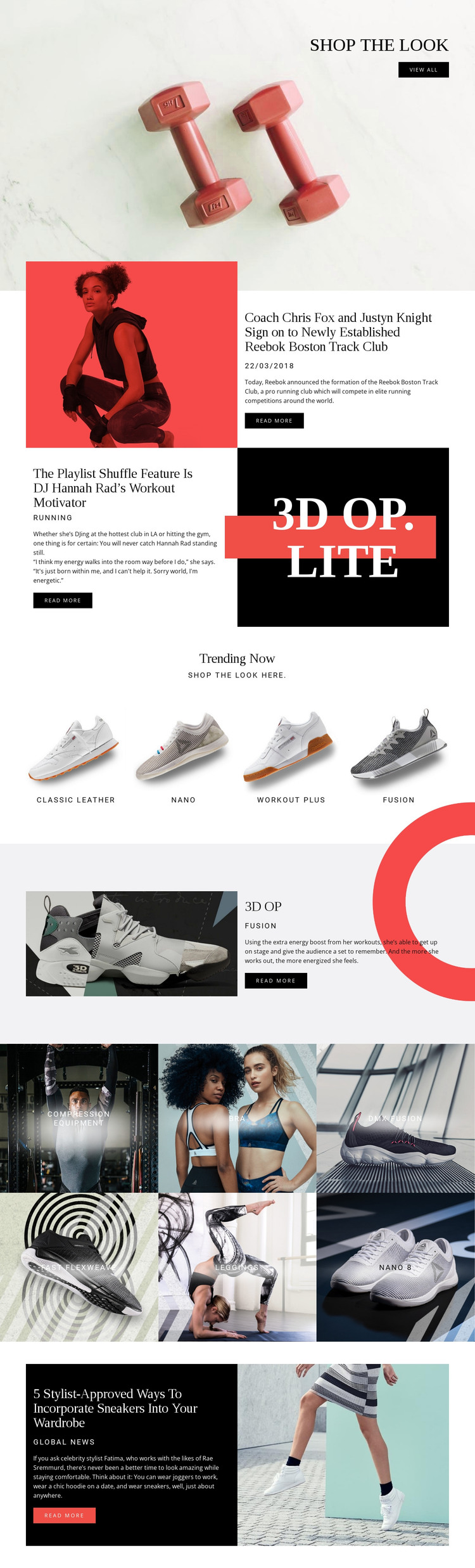
The design contains the principal content areas needed for a self-contained sportswear page rather than presenting only a decorative concept. The opening “shop the look” block establishes a product-led introduction with a large image, heading, and view all action. The next three split sections add editorial depth through athlete, music, and fashion stories, each pairing supporting copy with a read more button. This gives the page more than one content mode while keeping every section connected to sportswear culture.
Product discovery continues in a predictable sequence. Trending Now presents four labeled tiles—Classic Leather, nano, workout plus, and fusion—before the 3D OP section gives one product a larger editorial treatment. The following gallery broadens the catalog view with six category labels, including compression equipment, bra, dmx fusion, fast flexweave, leggings, and nano 8. The final sneaker-wardrobe article returns to editorial content instead of ending with an undifferentiated product list.
As a standalone HTML implementation, this arrangement supplies a finished navigation-free page experience with shopping prompts, product groupings, image-led stories, and repeated actions. The static structure can therefore support a sportswear presentation without first having to invent its core content sections.
Customize with Nicepage
Open this ready-made template in the HTML Builder and customize it visually in the Nicepage editor. Replace demo content, edit page sections, and adapt the design to your project without rebuilding the template from scratch.
Export and Use This Template as an HTML Website
Create a Portable HTML Website
When the template is ready, use the HTML Export option to create a static website with the files required for deployment. The exported website can be used independently of the Nicepage editor and deployed on your preferred hosting.
Nicepage also provides SEO settings and optimization features, including Page Titles and Descriptions, Canonical settings, headings, image Alt Text, and other page-level properties that help prepare the website for search engines.
Deploy Without a CMS
Upload the finished website to the hosting environment that fits your project. Because the exported site does not require WordPress, Joomla, or another CMS to deliver its pages, it can be placed on your own server, uploaded to a hosting provider, or deployed through an existing web infrastructure.
Hand Off the Website Files
The generated website files can also be provided to a client, developer, or hosting team. They remain available outside the Nicepage editor for deployment, technical review, or project-specific development when additional work is required.
This workflow makes the template a practical foundation for a portable static website that can be exported from the Nicepage editor and deployed independently.

More from Sports HTML Templates
-
Free Website Builder SoftwareDownload