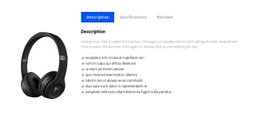
We provide premium services Html Code Example


Four Service Panels Create Clear Extension Regions
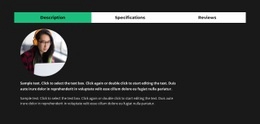
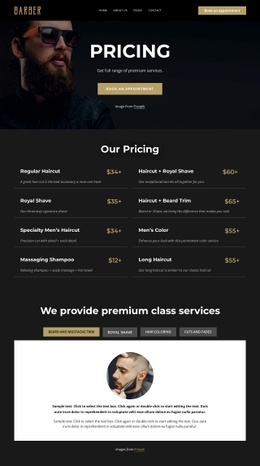
The four named tabs divide the grooming offer into distinct content regions: Beard and mustache trim, Royal shave, Hair coloring, and Cuts and fades. Selecting a tab switches the displayed panel, so visitors can move between service descriptions without leaving the section. Each panel follows the same pattern, combining one circular service image with two paragraphs. That repeated structure creates practical places for project-specific content to sit beside or within the relevant service explanation if the containing page later needs an additional data element or external widget.
The centered heading introduces the service group before the tab row, while the white panel keeps the selected image and text visually separate from the dark charcoal background. The active service is currently represented by a circular barber portrait, giving the first panel a concrete visual starting point without changing the structure of the other three panels. Muted gray inactive tabs and the muted gold active accent make the switching state legible while preserving the calm grooming aesthetic.
For an HTML Code use case, the block is best treated as an existing content base with bounded extension areas rather than as a place to replace the whole section. A booking, pricing, or availability widget could be positioned near the appropriate service content if the broader project requires it, while the tab relationship and four-panel organization remain intact.
Customize with Nicepage
Open this ready-made template in the HTML Code Generator and customize it visually in the Nicepage editor. Replace demo content, edit page sections, and adapt the design to your project without rebuilding the template from scratch.
Edit Template Offline
2. Create a new page or select existing
3. Click Add new block, search for id 6407381 and click enter
Edit Template Online
Create Awesome Websites


Free Nicepage Builder
Keywords
Extend This Page With Custom HTML Code
Insert Code With the HTML Element
Use the HTML Element to add custom code directly to a Block in the Nicepage editor. Enter the required markup in the Code field when the page needs content or functionality that is not available through the standard page elements.
Place the HTML Element in the Layout
Treat the HTML Element as part of the visual page composition. Adjust its position, width, height, alignment, and margins to place the custom content where it belongs alongside text, images, buttons, and other elements. This makes it possible to combine visually edited sections with project-specific code without separating the custom element from the rest of the layout.
Add HTML, CSS, JavaScript, and External Components
The HTML Element supports HTML, CSS, and JavaScript, allowing you to extend the page with custom markup and interactive functionality. It can also be used to embed custom code and third-party components, such as social feeds, advertising code, widgets, or other external functionality required by the project.
This workflow makes the template useful for projects that need a visual page editor together with custom HTML code, JavaScript, embedded components, and functionality beyond the standard page elements.

Design Set (20)



























More from Fashion & Beauty Blocks
-
-

-
-
-
-
-
-
-
-
-
Customize Any TemplateDownload
-
-
-
-
-
-
-
-
-
-













More from Tabs Blocks
-

-
-
-
-
-
-
-
-
-
-
Customize Any TemplateDownload
-
-
-
-
-
-
-
-
-
-