Limited-time offers Html Code Example


Product Cards as Bounded Extension Areas
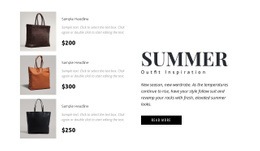
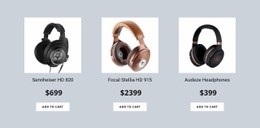
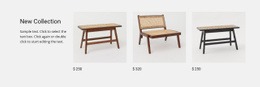
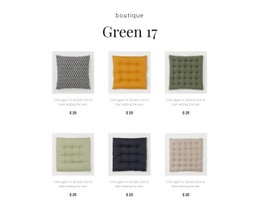
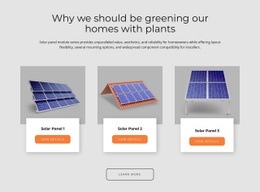
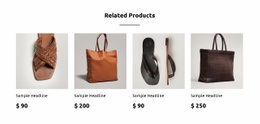
The four product cards already establish a clear content pattern: an image introduces each item, the name identifies it, the displayed price supplies commercial context, and an action control provides the next interaction point. That separation makes the card row a practical place to consider custom HTML extensions when a project needs behavior beyond the section’s existing product presentation. A project-specific data element, inventory indicator, comparison detail, or external product service could be positioned beside the relevant card content while preserving the repeated arrangement.
The peach background and white card surfaces also create useful visual boundaries for any extension. A custom element placed inside a card would need to respect the established image, name, price, and control sequence; an element placed alongside the row would need to avoid competing with the centered heading and four-column rhythm. The existing block therefore supplies a stable visual base rather than requiring custom code to define the whole section. Since the action label has conflicting source readings, the safest interpretation is an action control connected with each product card, leaving its final behavior to the containing project. Custom markup can add project-specific functionality around these real regions without replacing the product-list structure.
Customize with Nicepage
Open this ready-made template in the HTML Code Generator and customize it visually in the Nicepage editor. Replace demo content, edit page sections, and adapt the design to your project without rebuilding the template from scratch.
Edit Template Offline
2. Create a new page or select existing
3. Click Add new block, search for id 5808258 and click enter
Edit Template Online
Create Awesome Websites


Free Nicepage Builder
Keywords
Extend This Block With Custom HTML Code
Add Custom Code Inside or Beside the Section
Use the HTML Element when the block needs project-specific content or functionality that is not provided by its existing elements. The custom element can be placed within the section or near a relevant content region so the added functionality remains connected to the block's purpose.
Position the HTML Element in the Layout
Treat the HTML Element as part of the visual composition. Adjust its position, width, height, alignment, and margins so the custom content fits alongside the block's text, images, buttons, cards, or other elements instead of behaving like a separate page.
Add HTML, CSS, JavaScript, or External Components
The HTML Element supports HTML, CSS, and JavaScript and can be used for custom code and third-party components, including widgets, feeds, advertising code, or other integrations required by a project. Use these capabilities only when the section needs functionality beyond its verified built-in content.
This workflow keeps the original block as the visual/content base while providing a controlled way to extend one section without turning custom code into the primary structure of the whole page.