Seasonal fruits and vegetables Html Code Example


Six Image Regions Leave Room for Targeted Extensions
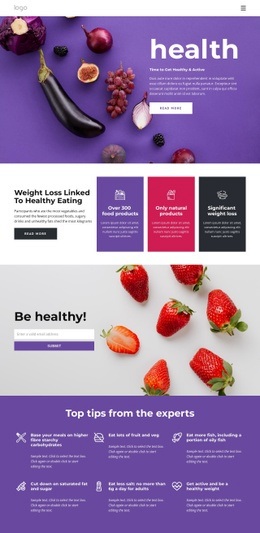
The centered heading and supporting paragraph already establish why the gallery exists: they introduce seasonal fruits and vegetables and connect the imagery with organic farming standards. Below them, six produce photographs are divided into two rows of three, creating clear image regions rather than one undifferentiated visual. Hover overlay areas add an interaction layer, and the configured lightbox gives each photograph a closer viewing state.
For an HTML Code interpretation, these existing regions can serve as logical places for project-specific extensions if the surrounding project requires functionality beyond the gallery. A custom element could sit near the descriptive text, accompany an image item, or work beside the gallery without discarding the block’s established content relationship. For example, a project might later connect a produce image to additional data, an external catalogue, or another contextual component, but that would be an optional extension rather than an existing part of this section.
The key advantage is containment. The heading, paragraph, divider, image grid, hover areas, and lightbox remain the visual and informational base, while any added code can be associated with the relevant region. This keeps a custom integration focused on the seasonal gallery instead of turning it into the primary structure of the page.
Customize with Nicepage
Open this ready-made template in the HTML Code Generator and customize it visually in the Nicepage editor. Replace demo content, edit page sections, and adapt the design to your project without rebuilding the template from scratch.
Edit Template Offline
2. Create a new page or select existing
3. Click Add new block, search for id 237852 and click enter
Edit Template Online
Create Awesome Websites


Free Nicepage Builder
Keywords
Extend This Block With Custom HTML Code
Add Custom Code Inside or Beside the Section
Use the HTML Element when the block needs project-specific content or functionality that is not provided by its existing elements. The custom element can be placed within the section or near a relevant content region so the added functionality remains connected to the block's purpose.
Position the HTML Element in the Layout
Treat the HTML Element as part of the visual composition. Adjust its position, width, height, alignment, and margins so the custom content fits alongside the block's text, images, buttons, cards, or other elements instead of behaving like a separate page.
Add HTML, CSS, JavaScript, or External Components
The HTML Element supports HTML, CSS, and JavaScript and can be used for custom code and third-party components, including widgets, feeds, advertising code, or other integrations required by a project. Use these capabilities only when the section needs functionality beyond its verified built-in content.
This workflow keeps the original block as the visual/content base while providing a controlled way to extend one section without turning custom code into the primary structure of the whole page.