Grid on abstract shape Html Code Example


Three Feature Regions Leave Clear Extension Points
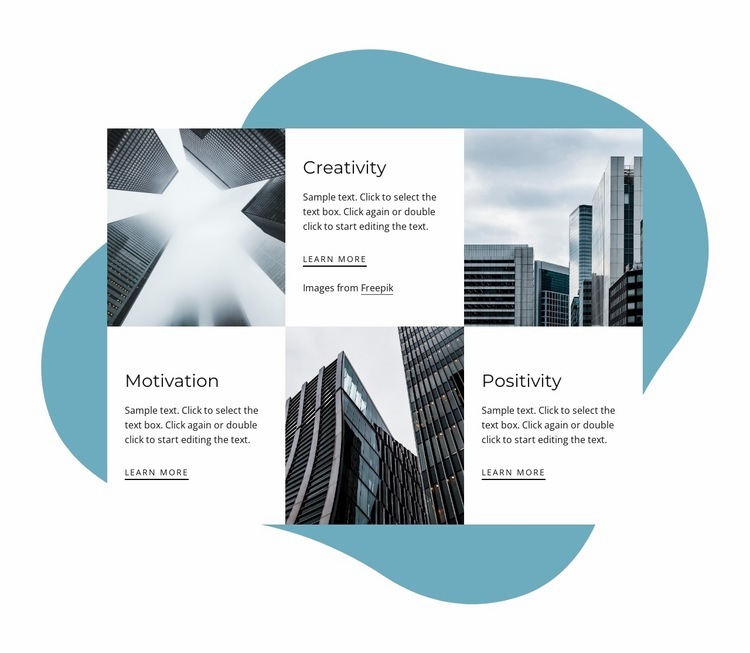
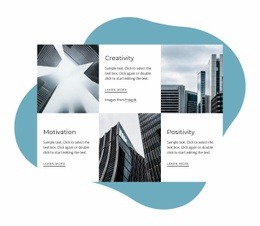
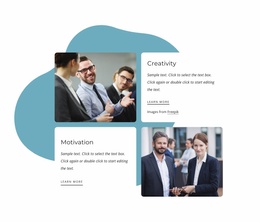
The existing content already divides the section into three recognizable regions: Creativity, Motivation, and Positivity. Each region has a heading, supporting paragraph, Learn more link, and associated architectural photograph, while the six-cell arrangement alternates image and text across two rows. That separation gives custom markup a logical place to sit near a particular theme or beside the shared feature content without requiring the core grid to be rebuilt.
For example, a project could place an external detail link, a small data element, or another project-specific content unit alongside one of the feature areas if the surrounding page needs more functionality. The large teal organic shape remains a visual backdrop, and the white text cards preserve the readable content zones. Any extension should respect the established relationship between each theme and its photograph so added material does not turn the grid into an unrelated third-party panel. The existing Learn more links also provide natural local destinations if a project later connects the themes to deeper information. In an HTML Code context, the section is therefore a stable content base with bounded areas for optional additions, not a claim that custom code is already present.
Customize with Nicepage
Open this ready-made template in the HTML Code Generator and customize it visually in the Nicepage editor. Replace demo content, edit page sections, and adapt the design to your project without rebuilding the template from scratch.
Edit Template Offline
2. Create a new page or select existing
3. Click Add new block, search for id 1650785 and click enter
Edit Template Online
Create Awesome Websites


Free Nicepage Builder
Keywords
Extend This Page With Custom HTML Code
Insert Code With the HTML Element
Use the HTML Element to add custom code directly to a Block in the Nicepage editor. Enter the required markup in the Code field when the page needs content or functionality that is not available through the standard page elements.
Place the HTML Element in the Layout
Treat the HTML Element as part of the visual page composition. Adjust its position, width, height, alignment, and margins to place the custom content where it belongs alongside text, images, buttons, and other elements. This makes it possible to combine visually edited sections with project-specific code without separating the custom element from the rest of the layout.
Add HTML, CSS, JavaScript, and External Components
The HTML Element supports HTML, CSS, and JavaScript, allowing you to extend the page with custom markup and interactive functionality. It can also be used to embed custom code and third-party components, such as social feeds, advertising code, widgets, or other external functionality required by the project.
This workflow makes the template useful for projects that need a visual page editor together with custom HTML code, JavaScript, embedded components, and functionality beyond the standard page elements.































More from Business & Law Blocks
-

-

-
-
-
-
-
-
-
-
-
Customize Any TemplateDownload
-
-
-
-
-
-
-
-
-
-














More from Grid Blocks
-

-
-
-
-
-
-
-
-
-
-
Customize Any TemplateDownload
-
-
-
-
-
-
-
-
-
-