Certified personal trainers HTML5 Template


A Centered Message Sits Above the Fitness Image
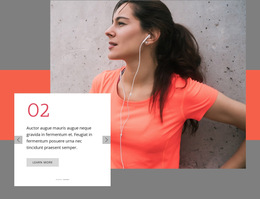
The block is organized around one primary text group rather than several independent content regions. The two-line “Personalized Training” heading establishes the subject, and the supporting paragraph follows it with an explanation of how the training team helps people reach their fitness goals. The “Open 7 Days A Week” statement adds a second layer of practical information within that same centered content area. Together, these elements form a compact hierarchy that can be understood before the background image is interpreted.
The full-width image is a separate visual layer behind the text, featuring a person performing a fitness pose. This relationship lets the image provide atmosphere and subject context while the dark serif typography carries the precise message. The bold emphasis on the second heading line creates an additional distinction inside the heading itself, and the generous vertical spacing places the text above the figure instead of flattening both into one undifferentiated surface. As an HTML5-oriented section, the block is therefore best understood through its internal grouping: heading, explanatory copy, availability detail, and supporting image treatment. That organization preserves the block’s introductory purpose without implying page-wide structure.
Customize with Nicepage
Open this ready-made template in the HTML5 Template Builder and customize it visually in the Nicepage editor. Replace demo content, edit page sections, and adapt the design to your project without rebuilding the template from scratch.
Edit Template Offline
2. Create a new page or select existing
3. Click Add new block, search for id 58875 and click enter
Edit Template Online
Create Awesome Websites


Free Nicepage Builder
Keywords
Explore the Structure of This HTML5 Block
Inspect the Block Hierarchy
Use the Layers panel to inspect the hierarchy of the block, including its Containers, Elements, repeated content groups, and nested items. For a reusable section, the useful structural question is how the content inside the block is organized, not how an entire website is arranged from Header to Footer.
Work With Organized Content Groups
A block can combine headings, text, images, buttons, grids, lists, forms, or other elements inside one structured section. Keeping those relationships visible makes it easier to select, rename, hide, lock, or reorganize parts of a more complex layout without losing the intended content hierarchy.
Extend the Structure Carefully
If a project later needs an extra content element or custom integration, the internal hierarchy can be inspected before changes are made. This helps preserve the relationship between the block's existing elements while the section is adapted to the needs of the containing page.
This workflow treats the design as an HTML5-oriented section with a clear internal organization, while page-level navigation, Header, Footer, and other site structure remain outside the block unless they are explicitly part of the section itself.