Preguntas frecuentes Diseño de páginas web


Personalizar con Nicepage
Al utilizar Creador de diseño de sitios web, podrá ajustar los colores, las fuentes, el encabezado y el pie de página, el diseño, las columnas y otros elementos de diseño, así como el contenido y las imágenes.
Editar plantilla sin conexión
2. Cree una página nueva o seleccione una existente
3. Haga clic en Agregar nuevo bloque, busque la identificación 230635 y haga clic en Intro.
Editar plantilla en línea
Crea sitios web impresionantes


Generador gratuito de Nicepage
Palabras clave
Crea un diseño coherente en todo el sitio web
Define un estilo visual para todo el sitio
Usa Configuración del tema para establecer la base visual del sitio web en todas sus páginas y secciones. Configura colores, fuentes y tipografía globales para que el sitio siga la misma línea de diseño en lugar de aplicar un estilo independiente a cada página.
Coordina colores y tipografía
Elige una combinación de colores y fuentes que se ajuste al carácter del sitio web y luego ajusta los encabezados H1-H6, el texto normal, los enlaces, los botones, las citas, las listas y otros estilos tipográficos. El uso coherente de esta configuración ayuda a crear una jerarquía visual clara y a que los elementos de diseño recurrentes sean reconocibles en todo el sitio web.
Agrega movimiento e interactividad
Usa Efectos de animación para que el diseño del sitio web sea más dinámico e interactivo. Los elementos y contenedores pueden usar efectos como "Ejecutar al mostrar", "Animación al pasar el ratón por encima" y "Animación sincronizada con el desplazamiento" para mostrar contenido a medida que los visitantes navegan por el sitio o responden a la interacción del usuario. Los preajustes de animación proporcionan efectos listos para usar que se pueden adaptar al estilo visual del sitio web.
Mantén la coherencia visual del sitio web
Aplica la misma dirección de diseño a los elementos compartidos del sitio web, como el encabezado, el menú y el pie de página. El panel de configuración del tema reúne los controles de estilo comunes para todo el sitio, lo que facilita mantener una apariencia coordinada a medida que el sitio web se expande a través de varias páginas.
Este flujo de trabajo convierte a la plantilla en un punto de partida útil para crear un sitio web con una identidad visual coherente, colores y tipografía coordinados, reglas de diseño compartidas y efectos interactivos en todas sus páginas.



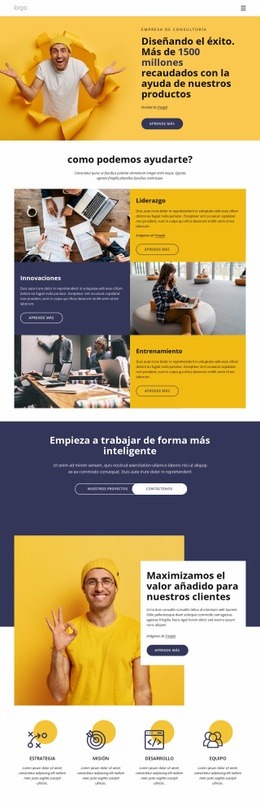
Más de Derecho empresarial bloques
-
EN

-
EN

-
-
EN
-
EN
-
EN
-
EN
-
EN
-
-
-
EN
-
EN
-
EN
-
EN
-
EN
-
EN
-
EN
-
-
EN
-
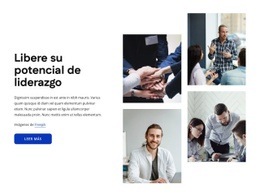

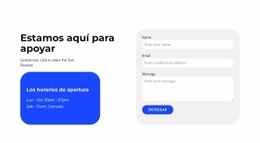








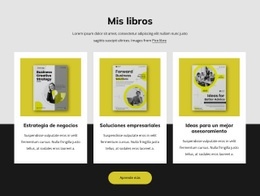


Más de Acordeón bloques
-
EN
-
EN
-
EN
-
EN
-
EN
-
EN
-
EN
-
EN
-
EN
-
EN
-
EN
-
EN
-
EN
-
EN
-
EN
-
EN
-
EN
-
EN
-
EN
-
EN