Creative new ideas to life Template


Four focused tips give the section a distinctive shape
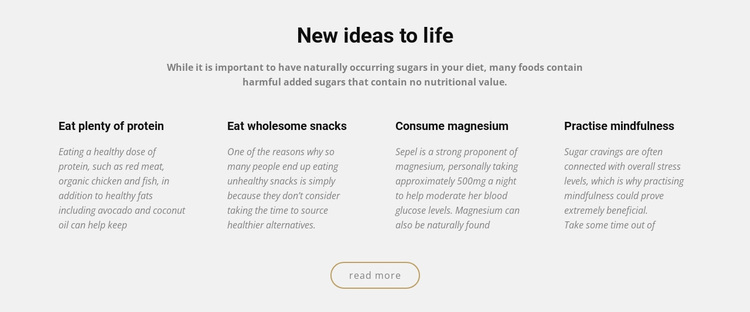
The design places a centered topic introduction above four evenly spaced text columns, creating a compact way to present related healthy eating guidance. “New ideas to life” establishes the opening frame, and the paragraph about naturally occurring and added sugars gives the reader context before the repeated items begin. The four headings—protein, wholesome snacks, magnesium, and mindfulness—then divide the subject into clearly recognizable recommendations, each supported by its own descriptive copy.
This combination makes the block a useful choice when a page needs more structure than a single text panel but less density than a large card-based feature grid. The columns remain text-led, so the content can be scanned as a set while the light gray background and generous spacing keep the presentation calm. Italicized descriptions provide a secondary typographic layer, and the centered rounded outlined “read more” link gives the section a restrained conclusion.
The design’s distinction comes from the relationship between educational context, four parallel tips, and a modest follow-up action. It can suit a page that needs a compact healthy eating feature area with clear hierarchy and no confirmed interactive component. The block remains one ready-made section, but its balanced content coverage makes it a considered alternative among other nutrition and wellness layouts.
Customize with Nicepage
Open this ready-made template in the Template Builder and customize it visually in the Nicepage editor. Replace demo content, edit page sections, and adapt the design to your project without rebuilding the template from scratch.
Edit Template Offline
2. Create a new page or select existing
3. Click Add new block, search for id 65685 and click enter
Edit Template Online
Create Awesome Websites


Free Nicepage Builder
Keywords
Start With a Ready-Made Template
Choose a Design for a New Page
Use a ready-made template as a starting point instead of creating every page from a blank canvas. When adding a new page in Nicepage, browse available designs, compare different layouts, and choose an option that already fits the general purpose and visual direction of your project.
Browse Different Page Designs
Explore Page Designs using search, thematic categories, Design Sets, and full-page previews. The collection includes layouts for different subjects and page purposes, making it easier to compare alternatives before selecting a design to customize.
Customize the Selected Template
After choosing a design, create the page and continue editing it visually in Nicepage. Replace the demo content, adjust images, typography, colors, sections, and other elements, and adapt the ready-made layout to your own content instead of rebuilding the design from the beginning.
Explore More Design Directions
If the first option does not match your project closely enough, return to the design collection and compare other templates before committing to a layout. This makes the template library useful not only for faster page creation, but also for exploring different visual approaches and finding a suitable starting point for a new project.
This workflow gives you access to a broad collection of ready-made designs that can be selected, compared, and customized according to the needs of each new page or project.