
How do I export my html-website to a webserver


Hi,
If you're working with Nicepage Desktop simply export website as HTML website and upload it to your server.
If you're working on the Nicepage cloud you can assign custom domain under the Website settings.
https://nicepage.com/doc/article/1293/assigning-own-domain
Thank you,
Olivia

How do I export from the cloud site to my web server/host
Hi,
There is no Export option in the online version. You can only publish your site on our domain or in the custom domain as explained in the link from the post above.
Sincerely,
Hella

All OK so far however when the files are uploaded the hyperlinks are broken. Can you fix those or can you build directly using the webserver file directory as the saved address for creation/editing of the website? No good uploading a website where the navigation doesn't work.
Hi Nicholas,
Could you please create a new private topic and explain the issue with the menu in more details and attach the problem website exported as Project.
Thank you,
Olivia

Rather than start a new topic - are there plans to have the export html to a folder using the web-based nicepage ? It would be so convenient to have that option allowing me to either use my desktop or laptop and have access to the all my websites rather than having to export the project and import them between devices.
Hi Adrian,
Nicepage Online is a stand-alone hosting+builder service. Currently, it does not support import/export I cannot say whether we'll implement this option in the future or not because this contradicts the idea of this service. Usually, similar services do not have import/export options.
But we have a few similar requests, and we'll return to discussing this feature in the future.
...................................................
Sincerely,
Olivia
Nicepage Support Team
Please subscribe to our YouTube channel: http://youtube.com/nicepage?sub_confirmation=1
Follow us on Facebook: http://facebook.com/nicepageapp
Thanks Olivia for your reply. Now that I am more aware of your development strategy I have no need for the web based nicepage option as I prefer more control over the hosting. You are right about other web based design services such as Wix not being able to export the completed website. I'll stick with the desktop version.
Hi Adrian,
You are welcome. Feel free to contact us in any other occasion.
...................................................
Sincerely,
Hella
Nicepage Support Team
Please subscribe to our YouTube channel: http://youtube.com/nicepage?sub_confirmation=1
Follow us on Facebook: http://facebook.com/nicepageapp

Hi Nicepage Team.
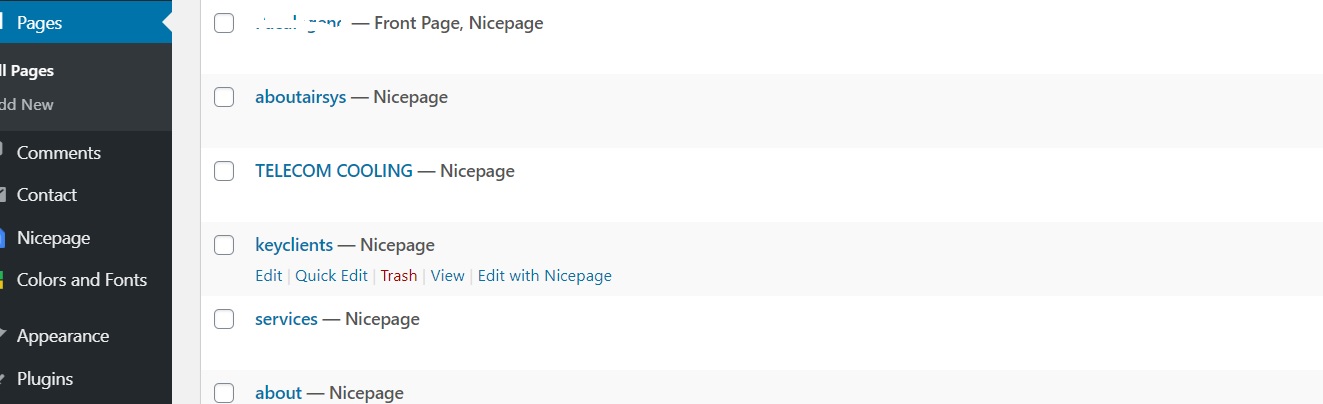
please help me how can i set the page of nicepage to bluehosting.
i have already upload the themes and content and pages. i have already edited the pages. my question is how can i transfer to live domain.
however i have some trouble how to publish directly or automatically view in my domain.
please see attached my image.
Hi,
I'm not sure that I understand your question completely. Let me know if you have uploaded the theme and content on the test site and now you need to move it to another one? In this case you can move your whole WP site using special WP tools to transfer the site to another domain. Or if you have the fresh installation of WP site, then you can import the theme and content from Nicepage to it.
...................................................
Sincerely,
Hella
Nicepage Support Team
Please subscribe to our YouTube channel: http://youtube.com/nicepage?sub_confirmation=1
Follow us on Facebook: http://facebook.com/nicepageapp

Hi, is there a way to copy just the HTML code?
Is there a way to create an HTML page - not HTML5?
rocksjhb,
No.
...................................................
Sincerely,
Nicepage Support Team
Please subscribe to our YouTube channel: http://youtube.com/nicepage?sub_confirmation=1
Follow us on Facebook: http://facebook.com/nicepageapp