Confidentiality you can rely on Web Page Design


Edit Template Offline
2. Create new page and search for id 6543606
Edit Template Online
Create Awesome Websites


Free Nicepage Builder
Keywords
The Title-to-Document Transition Controls Information Density
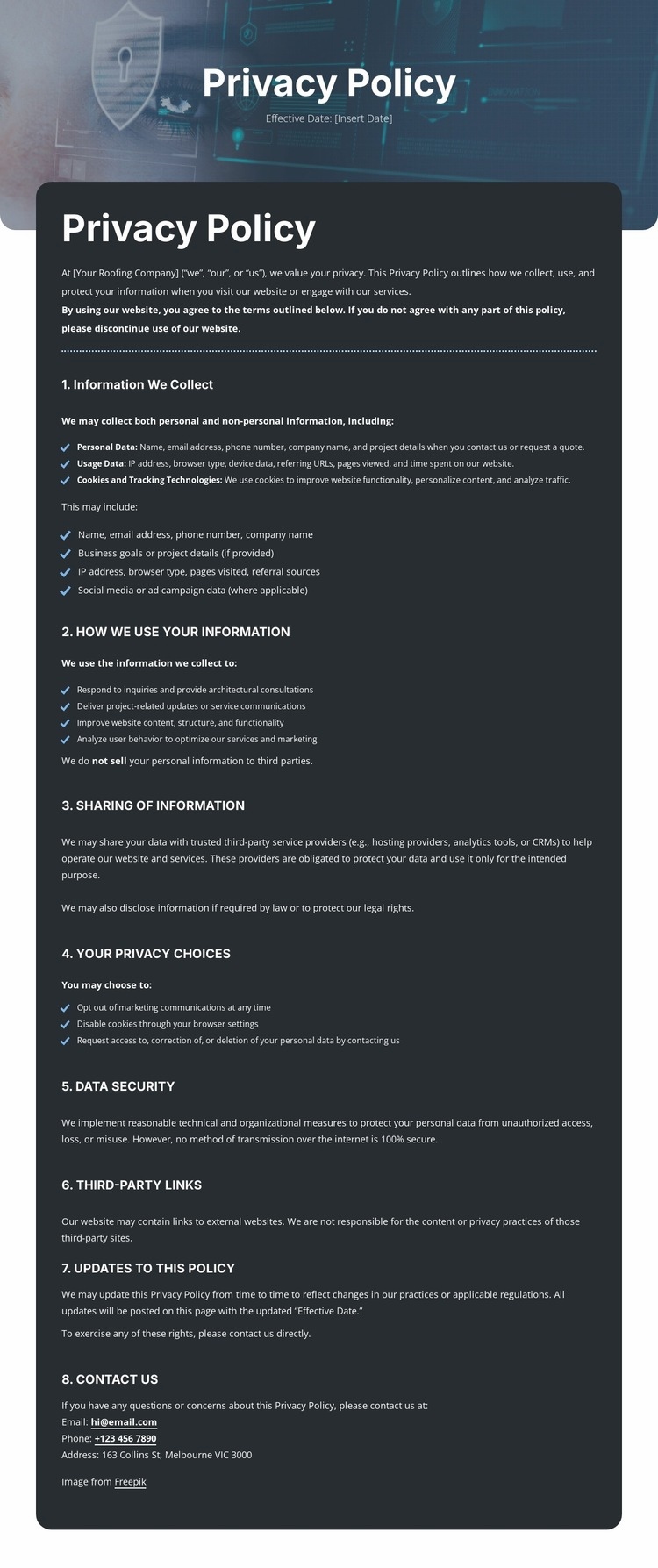
The composition relies on a deliberate change in scale and density. A large centered title panel gives the page an immediate focal point, with the effective-date line supporting the document identity without competing with the heading. The following dark rounded introduction narrows the visual field and prepares readers for the longer left-aligned policy content. This transition prevents the detailed text from appearing as the first or only visual event.
Inside the document, the eight numbered headings create repeated pauses in the reading flow. Information collection, cookies, use, sharing, privacy choices, security, third-party links, updates, and contact each receive their own visual position, while bullet lists reduce the density of supporting details. The page therefore alternates between heading emphasis and explanatory text instead of presenting one continuous paragraph field. The footer then changes the composition again with a full-width colored bar and a centered Questions? prompt.
The navigation row also contributes to the page balance by occupying a compact horizontal band above the title. Its separate mobile-navigation structure indicates that the header has a distinct presentation for smaller screens, but no additional responsive behavior should be invented. As a Web Page Design, the important relationship is between title, introduction, numbered content, and contact closure: each change in alignment, panel treatment, and density helps visitors understand where they are in this single page.
Customize with Nicepage
Open this ready-made template in the Web Page Design Builder and customize it visually in the Nicepage editor. Replace demo content, edit page sections, and adapt the design to your project without rebuilding the template from scratch.
Design a Web Page Section by Section
Choose a Design for Each Section
Build the page from individual content sections instead of starting with a fixed full-page layout. Use Block Designs to browse ready-made sections for different purposes, including introductions, services, galleries, testimonials, contact forms, pricing, and other common parts of a web page. Search or filter the available designs to find a layout that fits the content you want to add.
Combine Blocks and Page Elements
Add selected Blocks to the page and arrange them in the order that supports the page's purpose. A hero section can introduce the main message, followed by services, benefits, portfolio content, testimonials, calls to action, or contact information.
Inside each section, use Web Page Elements such as Text, Image, Hyperlink, Grid, Gallery, and other elements to build and present the page content. Individual elements can be added and adjusted within the Blocks, giving you more control over the composition of each section without having to create the complete layout from scratch.
Refine the Page Layout and Flow
After assembling the main sections, adjust their content, spacing, backgrounds, images, typography, and element placement in the Nicepage editor. Reorder Blocks when necessary and refine the transition from one section to the next so the information hierarchy and visual flow remain clear throughout the page.
This workflow makes the template useful as a web page design that can be composed from ready-made sections, customized with individual page elements, rearranged, and adapted to the content and purpose of an individual page.