Shape, text on gradient Web Page Design


The Yellow Accent Anchors an Asymmetrical Text Composition
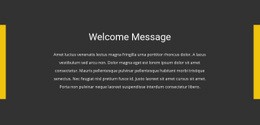
The page composition depends on the contrast between a dominant left statement and a more explanatory right column. “LEVERAGE AGILE FRAMEWORKS TO PROVIDE.” functions as the visual entry point, using its larger uppercase treatment to attract attention first. The “WHAT WE DO” heading and supporting paragraph then create a second information zone, giving visitors a natural reading direction from the main proposition toward clarification.
The circular yellow accent behind the left heading strengthens that arrangement by acting as a visual anchor rather than an additional message. Its bright color separates the heading from the blue-to-purple gradient and gives the left side a defined area of emphasis. On the right, the white heading and paragraph remain visually lighter in weight, allowing the text column to support the statement without competing with it. Generous horizontal spacing keeps both sides legible and avoids compressing the content into one dense text block.
Within one webpage, this section can work as a mid-page transition from broad introductory material to more detailed content. Its vertically centered alignment creates a composed pause, while the split structure changes the page rhythm from a single-column flow to a balanced two-sided layout. The block does not need to carry the whole page; its value comes from giving one topic a strong spatial arrangement before the surrounding sections resume their own composition.
Customize with Nicepage
Open this ready-made template in the Web Page Design Builder and customize it visually in the Nicepage editor. Replace demo content, edit page sections, and adapt the design to your project without rebuilding the template from scratch.
Edit Template Offline
2. Create a new page or select existing
3. Click Add new block, search for id 55204 and click enter
Edit Template Online
Create Awesome Websites


Free Nicepage Builder
Keywords
Design a Web Page With This Block as One Section
Place the Block in the Page Composition
Use Block Designs to combine individual sections into a complete page. The analyzed block contributes one part of that composition, while other sections can handle the introduction, services, proof, portfolio, pricing, contact, or other page-level needs.
Refine the Elements Inside the Block
Use Web Page Elements such as Text, Image, Hyperlink, Grid, Gallery, and other elements to refine the section's content. Adjust the existing elements without assuming that one block must carry the entire page structure.
Balance the Section With Neighboring Content
After the block is placed, refine its spacing, image scale, text density, alignment, and background treatment so the transition into and out of the section feels intentional. Reorder Blocks at the page level when necessary while keeping the internal composition of each section coherent.
This workflow treats the block as one compositional unit in a web page: internally designed, visually distinct, and coordinated with the sections around it.