Quick Learning Course Web Page Design


Edit Template Offline
2. Create new page and search for id 2577046
Edit Template Online
Create Awesome Websites


Free Nicepage Builder
Keywords
The Page Alternates Dense Cards With Image-Led Transitions
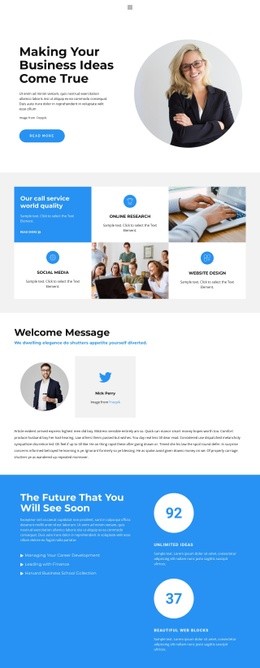
The composition begins with a text-on-image hero that places a large portrait beside the coaching message and two actions. This creates an asymmetric opening with a strong visual anchor. The next feature block becomes more orderly: four compact items sit in two rows beneath the IT solution strategy heading. A second four-item group then changes the reading pattern again by presenting Research, Strategy, Design, and Planning as evenly spaced process capabilities.
The quotation-style section and wide group portrait introduce breathing room before the two-slide About us and What we do carousel returns to image-led communication. Its overlaid text and directional controls create a different transition from the surrounding static sections. The three consulting-success cards compress information into large percentage values, while the following split block restores a broader text-and-image balance with a divider and two explanatory columns.
Near the end, the four-row FAQ accordion changes the page from promotional presentation to expandable information, and the two alternating staff profiles add a human-scale sequence before the three contact cards. This changing density prevents the long page from becoming uniform. The blue, white, and light gray palette, bold headings, and repeated card logic connect the sections while allowing each block to perform a distinct compositional role.
Customize with Nicepage
Open this ready-made template in the Web Page Design Builder and customize it visually in the Nicepage editor. Replace demo content, edit page sections, and adapt the design to your project without rebuilding the template from scratch.
Design a Web Page Section by Section
Choose a Design for Each Section
Build the page from individual content sections instead of starting with a fixed full-page layout. Use Block Designs to browse ready-made sections for different purposes, including introductions, services, galleries, testimonials, contact forms, pricing, and other common parts of a web page. Search or filter the available designs to find a layout that fits the content you want to add.
Combine Blocks and Page Elements
Add selected Blocks to the page and arrange them in the order that supports the page's purpose. A hero section can introduce the main message, followed by services, benefits, portfolio content, testimonials, calls to action, or contact information.
Inside each section, use Web Page Elements such as Text, Image, Hyperlink, Grid, Gallery, and other elements to build and present the page content. Individual elements can be added and adjusted within the Blocks, giving you more control over the composition of each section without having to create the complete layout from scratch.
Refine the Page Layout and Flow
After assembling the main sections, adjust their content, spacing, backgrounds, images, typography, and element placement in the Nicepage editor. Reorder Blocks when necessary and refine the transition from one section to the next so the information hierarchy and visual flow remain clear throughout the page.
This workflow makes the template useful as a web page design that can be composed from ready-made sections, customized with individual page elements, rearranged, and adapted to the content and purpose of an individual page.